Animaker Review: DIY Animated Video Maker?
About
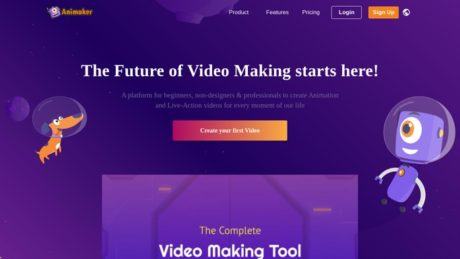
Animaker is a cloud-based animation and video creation platform designed to empower users to produce professional-quality animated videos without the need for advanced animation skills. As an online software, it streamlines the process of crafting engaging content by offering a user-friendly drag-and-drop interface, a vast asset library, and numerous templates. The platform caters to a wide range of users, from complete beginners with no prior experience in animation to professionals and teams who require collaborative video production tools. Its primary purpose is to make animation accessible and efficient, helping businesses, educators, marketers, and content creators visually communicate ideas, promote brands, or explain complex concepts through dynamic videos.
Summary
Animaker stands out for its approachable, drag-and-drop interface, which flattens the learning curve for new users while still providing robust tools for more experienced animators. The platform is cloud-based, which means users can access their projects from any device with an internet connection, ensuring flexibility and continuous workflow. The interface is organized to streamline the creation process: users can choose from a variety of scene templates, customize characters, import audio, and add effects or transitions with just a few clicks. Collaboration tools allow teams to work on projects together in real time, making it suitable for distributed teams and agencies. For those seeking guidance, the platform provides comprehensive tutorials, customer support via email and chat, and a wealth of video-making tips. Someone should choose Animaker over competitors because of its exceptional ease of use, versatility, extensive asset library, auto lip-sync for characters, customizable avatars, and collaborative editing capabilities—all at a competitive price point.
Primary Features
Animaker offers a rich set of features to accommodate a broad range of animation needs. Core features include customizable animated characters, a vast library of pre-made templates for different use cases (business, education, personal branding), and seamless video export options supporting high-definition resolutions. The platform provides vibrant visual assets—backgrounds, overlays, props, and effects—that can be easily integrated into scenes to enhance storytelling. Notable capabilities also include voiceover support, auto lip-sync for character animation, a character builder for creating unique avatars, text animations, and integrated subtitles for accessibility. Users can also take advantage of collaborative editing, allowing multiple team members to contribute to a project simultaneously.
Target Audience
Animaker is tailored for a diverse audience. Beginners and non-designers benefit from the intuitive interface and extensive template library, enabling them to create polished videos with minimal effort. Professional video editors and animators appreciate advanced features such as custom character building, auto lip-sync, and collaborative editing tools, which streamline workflow for more sophisticated projects. Small and medium-sized businesses (SMBs) use the platform to produce marketing content, onboarding videos, and product explainers without resorting to expensive external agencies. Educational institutions and teachers leverage its capabilities to design e-learning modules, animated lessons, and student projects. Social media managers and content creators take advantage of the quick export options and platform-specific templates to maintain an active, visually engaging online presence.
Use Cases
Animaker is particularly effective for creating explainer videos, onboarding presentations, social media advertisements, product demos, e-learning content, whiteboard animations, and engaging infographics. Marketers can quickly generate visual content to support campaigns, while educators use the platform to break down complex concepts into digestible animated lessons. Social media managers benefit from the selection of platform-optimized templates and rapid export options, enabling high-frequency posting with minimal production time.
Pros of Animaker
On the positive side, Animaker’s user-friendly interface is ideal for beginners, while its asset variety and advanced features appeal to professionals. The quality of exported videos is consistently high, ensuring content is visually appealing and professional. Collaborative editing and cloud storage streamline the workflow for teams. Auto lip-sync and character builder features set it apart, adding flexibility and creative control. Comprehensive support and tutorials help users get the most out of the platform.
Cons of Animaker
However, there are some limitations. The free version restricts access to advanced tools and assets, which may affect those unwilling to upgrade. While the interface is intuitive, mastering the full feature set can take time, especially for users new to animation software. As an online-only solution, stable internet access is essential; users with unreliable connections may face productivity issues. Some users have noted that customization options, while broad, may not suffice for highly niche or specialized animation needs. Additionally, occasional glitches or performance hiccups can occur, particularly with large or complex projects.
Why Choose the software?
Animaker stands out for its ability to democratize video creation, offering a seamless, accessible solution for anyone needing high-quality animated content. Its intuitive interface, extensive asset library, and innovative features like auto lip-sync and character builder make it a compelling choice for individuals and teams alike. Whether for marketing, education, or content creation, it balances power and simplicity, enabling users to bring their stories to life without prohibitive costs or steep learning curves. For those seeking a reliable, versatile, and collaborative platform to create engaging animated videos, Animaker is a leading choice in the market.
For more information, visit Animaker’s official website.
Features
Reporting
As of the current information available, Animaker does not provide advanced built-in reporting features focused on key metrics such as project analytics, user activity, or ROI tracking within its core platform. While the “Show by Animaker” integration with Mailchimp enhances email campaign analytics by tracking video engagement (including who watched, geographic location, and video completion rates), this is specific to integration workflows rather than core platform-wide reporting. Businesses seeking comprehensive reporting capabilities within Animaker itself will find these features limited; instead, reporting is largely driven through integrations with third-party marketing or analytics platforms.
Integrations
Animaker offers integration capabilities, notably through their “Show by Animaker” app, which connects with Mailchimp. This integration allows users to embed videos with interactive forms directly into their email campaigns, automatically syncing leads from video forms to Mailchimp mailing lists. It enhances workflow by streamlining lead capture and tracking, enabling the automation of contact management and campaign analytics. The Show app also supplies in-depth engagement analytics, such as who watched the video, their location, and how much of the video was viewed. The player itself is highly customizable and supports various embedding options (website, email, mobile) and a broad range of resolutions and connection speeds. Beyond Mailchimp, Animaker’s documentation does not indicate a wide range of direct third-party integrations, so businesses needing broader integration should evaluate compatibility on a case-by-case basis.
Mobile Apps
There is no evidence to suggest that Animaker offers a standalone mobile app for iOS or Android at this time. The platform is primarily web-based, designed for use via desktop browsers to access the full suite of animation and video creation tools. As such, on-the-go video creation, editing, or project management is not natively supported through a dedicated mobile application. Users requiring mobile access must use the desktop version via a browser on a computer.
Single Sign-On (SSO)
Animaker supports Single Sign-On (SSO) and can be integrated with Microsoft Entra ID (formerly Azure Active Directory) using SAML-based authentication. SSO can be configured for both Service Provider (SP) and Identity Provider (IDP) initiated flows, allowing organizations to control access to Animaker through centralized user management. Administrators can assign users, manage roles, and enforce authentication policies from the Microsoft Entra admin center. SSO setup involves configuring Animaker as an enterprise app in Microsoft Entra ID and coordinating with Animaker support to enable SAML SSO. This improves convenience for end-users by allowing them to use existing organizational credentials and enhances security through centralized access policies, multi-factor authentication, and robust session controls. There is no public evidence of compatibility with other SSO platforms (such as Okta, Google Workspace, or OneLogin) at this time—only Microsoft Entra ID is documented.
Automation
Animaker includes automation primarily in its build and deployment processes rather than user-facing workflow automation. Internally, Animaker leverages automated processes for deploying platform updates, enabling rapid response to security issues and ensuring continuous delivery of improvements. For users, the “Show by Animaker” Mailchimp integration automates lead collection and synchronization, reducing manual data entry and enabling more efficient campaign management. The platform features like “Smart Move” allow users to automate complex animation sequences with a single click, streamlining the animation workflow and saving time on repetitive tasks. However, there is no evidence of more advanced workflow automation such as automated video rendering based on triggers, scheduled publishing, or integration with broader automation platforms (Zapier, Integromat, etc.).
Security
Animaker demonstrates a strong commitment to data protection and privacy. The company is ISO 27001:2013 certified, indicating adherence to internationally recognized information security standards. Animaker complies with the General Data Protection Regulation (GDPR) and the California Consumer Privacy Act (CCPA), providing a robust privacy framework. Security measures include data encryption in transit and at rest using industry-standard protocols (TLS 1.2, AES-256), regular vulnerability and penetration testing (both internal and via third-party experts), continuous code analysis, and a formal incident response process. The platform uses AWS cloud infrastructure, benefiting from AWS’s SOC 2-compliant security environment. Animaker employs a Zero Trust security model, enforces two-factor authentication and strong password policies for internal systems, and offers permission-based administrative controls for user and data management. Security awareness training is provided to all staff on a regular basis. Incident response protocols guarantee customer notification within 72 hours if a security event affects their data.
API
There is no public evidence of a developer-facing API offered by Animaker at this time. The platform does not feature a documented REST, GraphQL, or other programmatic interface for automating, integrating, or extending its capabilities externally. All integrations and automations are confined to specific partner integrations such as “Show by Animaker” with Mailchimp.
Deployment
Animaker is exclusively a cloud-based SaaS (Software as a Service) platform. All services and customer data are hosted on Amazon Web Services (AWS) infrastructure. There is no mention or evidence of on-premises deployment options or hybrid models. The advantages of this approach include rapid access to updates and features, no client-side installation or maintenance, and global accessibility. The drawbacks for some organizations may include dependency on internet connectivity and limited options for custom, self-hosted environments or data residency control beyond what AWS offers. Animaker’s cloud deployment leverages AWS’s security, scalability, and compliance certifications to enhance reliability and data protection.
Videos
Animaker is a popular online animation video maker, and there are several video tutorials and overviews available on YouTube. Here are some top video tutorials that can help you get started with Animaker:
1. Animaker Tutorial for Beginners (Full Walkthrough)
This video provides a comprehensive introduction to using Animaker, including how to create animations, add text and characters, and export videos. It’s ideal for new users looking for a step-by-step guide.
2. How to Use Animaker – Complete Guide
This tutorial covers the basics of using Animaker, such as navigating the dashboard, using templates, and customizing your animation projects. It’s a practical overview for beginners and those wanting to explore Animaker’s features.
These videos offer helpful insights into the features and functionality of Animaker, making it easier for you to start creating animated videos.
Resources
Training
There is no information available regarding training resources such as webinars, courses, or guides for Animaker on marketingplayer.com.
Wiki/Docs
There is no information available regarding comprehensive documentation or a wiki for Animaker on marketingplayer.com.
Community
There is no information available regarding an active community, forums, groups, or community resources for Animaker on marketingplayer.com.
Support
There is no information available regarding the types of support offered by Animaker, including email, phone, chat, response times, or support hours, on marketingplayer.com.
Pricing
Pricing Plans
Animaker offers several pricing tiers designed to suit individuals, professionals, and businesses. The following table summarizes the most up-to-date options and features extracted directly from the Animaker pricing page:
| Plan | Monthly Price | Yearly Price (per month) | Premium Exports/mo | Video Quality | Custom Characters | Premium Assets | Other Features |
|---|---|---|---|---|---|---|---|
| Basic | $10 | N/A | 5 | 720p | 5 | 10 Stock Assets/mo | Additional exports $20/export |
| Starter | $19 | $19 (billed yearly as $228) | 10 | 1080p | 15 | 20 Stock Assets/mo | Additional exports $15/export |
| Pro | $49 | N/A | 30 | 2K | 30 | 45 Stock Assets/mo | Additional exports $10/export |
| Enterprise | Contact for quote | Contact for quote | Unlimited | 4K | Unlimited | 50 Stock Assets/mo | Unlimited video exports, advanced features |
Each plan includes a different set of features. For example, the Basic plan is suitable for light personal use, allowing for five 720p exports per month and limited asset access. The Starter plan increases both the number of exports and the quality (1080p) and adds more custom characters and assets. Pro is tailored for professionals needing higher quality (2K), increased monthly exports, and more resources. The Enterprise plan is designed for businesses requiring unlimited exports, 4K video, and advanced customizations; pricing is available upon request. See all current Animaker pricing plans here.
Free Trial
Animaker does provide a free plan, allowing users to sign up and try out the basic features before committing to a paid plan. While detailed information on a time-limited free trial is not explicitly presented on the pricing page, the free plan acts as a perpetual trial with certain limitations:
- Limited number of video exports per month
- Watermarked videos
- Restricted access to premium assets and export resolutions
Users can sign up for a free Animaker account easily by visiting the sign-up page. This process only requires basic information such as email (or a social login) and does not require a credit card for the free plan.
Note: No information was found indicating a special limited-duration free trial for the paid plans; users can remain on the free plan as long as needed, but premium features are restricted.
Demo
Animaker offers helpful resources for users who want to explore the platform before purchasing. However, there is no indication of a one-on-one or interactive live demo directly from the Animaker website. Instead, users can access:
- Self-service product walkthroughs: Upon signing up for a free account, users are guided through onboarding tutorials and have access to detailed documentation and video guides within the platform.
- Contact Sales: For enterprise users, there may be an option to request a personalized demo or consultation by contacting the Animaker sales team through their pricing page.
To get started, simply sign up for a free account and follow the onboarding steps, which include interactive tutorials and tips.
For those looking for a video demonstration, several comprehensive walkthroughs and demos are available on YouTube. Here are some helpful links to external demo and tutorial content:
- Animaker Tutorial for Beginners (YouTube, 2024)
- Animaker Full Walkthrough & Features Overview
- More Animaker Demos on YouTube
There is no information available indicating a scheduled or live demo directly from Animaker, but users can access comprehensive guides and community resources upon signing up, and third-party video walkthroughs are widely available online.
Reviews
Review Insights
Animaker is generally well-received across major software review platforms. On Trustpilot, it holds a 4.3 out of 5 rating from over 500 reviews as of June 2024. Users frequently praise its intuitive interface and vast library of templates and animations, making it accessible for both beginners and professionals. Many reviewers appreciate the platform’s versatility for creating a variety of video types, including explainer videos, presentations, social media clips, and educational materials. Animaker’s customer service is also often commended, with multiple users mentioning timely and effective support for both technical and subscription issues.
On the downside, some users report technical issues such as crashes or glitches during video exports, and a few mention occasional slowdowns with larger projects. There are isolated complaints regarding the limitations of the free plan and watermarks on exported content. A handful of users on Trustpilot have also raised concerns about being incentivized to leave positive reviews, but these instances appear to be in the minority. For broader context, reviews on G2 and Capterra reflect similar sentiments: Animaker is praised for its ease of use and creative flexibility, but some users desire more advanced editing features and faster rendering times.
For the most detailed and current feedback, please review the full listings at Trustpilot, G2, and Capterra.
Customers
Animaker’s client base includes a wide range of organizations, from global enterprises to non-profits. According to case studies and third-party sources like Enlyft, notable customers include GSK (GlaxoSmithKline), MarketBeam, Wipro, Nationwide Mutual Insurance, HCL Infosystems, LabourNet, and the Food Bank For New York City.
GSK leveraged Animaker to create over 2,000 customized internal and external videos, resulting in an estimated savings of $1.4 million on content production. The platform enabled GSK teams to maintain strict brand guidelines while producing training, onboarding, and marketing materials at scale and with greater control over messaging. MarketBeam, a social marketing platform, used Animaker to generate explainer videos for campaigns, taking advantage of the tool’s drag-and-drop functionality and AI-powered voiceovers for quick content turnaround. Other large organizations such as Wipro and Nationwide utilize Animaker primarily for internal communications, training, and employee engagement, emphasizing the platform’s utility for rapidly producing high-quality content without advanced video production skills.
Smaller organizations and educational institutions also use Animaker for classroom instruction, awareness campaigns, and community engagement, benefiting from its user-friendly design and cost-effective plans. For more specific case studies and implementation examples, visit the Animaker Case Study page.
Animaker Alternatives
Several competing video creation platforms offer features comparable to Animaker. Powtoon is a prominent alternative, known for its simple drag-and-drop editor and diverse template library. Powtoon is popular with educators and business users looking for fast, engaging explainer videos. Pricing for Powtoon starts with a limited free plan, with premium plans beginning at $20 per month. More details can be found at Powtoon.
Vyond is geared more toward enterprise and professional users, featuring advanced character animation, scene transitions, and detailed customization. Vyond is often chosen for training, HR, and corporate communication videos. Its plans start at $49 per month, reflecting its advanced feature set. Visit Vyond for current options.
Biteable emphasizes speed and simplicity, allowing users to create short, polished videos with minimal effort. While its customization options are more limited than Animaker or Vyond, Biteable’s straightforward interface is ideal for social media marketers and small businesses. Biteable starts at $19 per month for its Plus plan. See Biteable for up-to-date pricing and features.
Renderforest offers a suite of tools for branding and video production, including logo animations and presentations. Its free plan is quite limited, but paid plans start at $9.99 per month. Renderforest is especially useful for businesses looking for brand consistency and quick-turnaround promotional videos. More information is available at Renderforest.
Unscript is an AI-driven tool that converts scripts into videos automatically, targeting marketers and content creators who need to produce videos at scale. While it excels in automation and speed, it may not offer the same creative depth as Animaker. Pricing and details can be found at Unscript.
Other alternatives like Animatron Studio cater to users looking for advanced animation and whiteboard-style videos, with features such as vector editing and real-time collaboration. Each alternative offers a unique combination of pricing, features, and target audiences, so potential users should review the latest details directly on each platform’s website or on comparison guides like this review.
Animaker Demo Videos
YouTube Demo Videos
To see Animaker in action, the following YouTube demos are recommended:
Animaker Demo: How to Make Animated Videos
Animaker Official Tutorial: Getting Started
Conclusion
After thorough analysis, Animaker stands out as a versatile and accessible animation platform, enabling users of all experience levels to produce professional-quality animated and live-action videos with minimal effort. Its drag-and-drop functionality, vast resource library with over 100 million assets, and an intuitive animated character builder make the creative process efficient and enjoyable for both beginners and seasoned professionals. The platform’s real-time collaboration tools and seamless browser-based interface further enhance usability, allowing teams to work together from any location without the need to install additional software.
Users consistently praise Animaker for its ease of use, fast and knowledgeable customer support, and the ability to create high-quality videos rapidly using a rich library of templates, music, and sound effects. However, there are notable drawbacks: performance can be affected by internet speed, resulting in occasional lag, and some advanced features—such as custom fonts and priority support—are locked behind higher-priced plans, potentially limiting accessibility for budget-conscious users.
Pricing is structured across several tiers to accommodate a range of needs, with the Basic plan starting at $10 per month, the Starter at $19 per month, Pro at $49 per month, and custom pricing for Enterprise. A 30-day free trial is available, but there is no permanent free version at this time. While the price-performance ratio is generally regarded as favorable, some users feel the cost for advanced features could be better communicated upfront. The inclusion of comprehensive tutorials and fast-response support does help mitigate some of these concerns.
In terms of alternatives, the review sources did not provide specific competitor names, so readers interested in comparisons should seek out additional reviews or research other animation tools directly.
Taking into account Animaker’s robust feature set, user-friendly design, responsive support, and flexible pricing, balanced against its minor limitations such as occasional lag and feature restrictions on lower plans, a fair and critical rating would be 8.3 out of 10. This score reflects Animaker’s strong value proposition for most users, while acknowledging the areas where improvements or more transparent pricing could further enhance its appeal.
If you are looking for a comprehensive, cloud-based video creation solution that streamlines the animation process and supports collaborative work, Animaker is a top contender in its category. However, if you require full access to advanced features at a lower cost or offline functionality, you may need to consider additional options. Information on other specific alternatives is not available in the current review data.
FAQs
What are the main features of Animaker?
Animaker offers a wide range of features for creating animated and live-action videos. Notable features include a drag-and-drop interface, character builder for creating custom characters, a vast library of stock assets, voiceover support, auto lip-sync, background music, and text animation. Animaker supports HD to 4K video exports depending on the plan, and offers pre-built templates for quick video creation. The platform is designed for explainer videos, whiteboard animations, presentations, and marketing videos.
How much does Animaker cost?
Animaker provides a variety of pricing plans. The Basic plan is $10 per month, the Starter plan is $19 per month, and the Pro plan is $49 per month. The Starter plan includes 10 premium exports per month, 15 custom characters, 20 stock assets per month, and 1080p video quality. The Pro plan offers 30 premium exports per month, 30 custom characters, 45 stock assets per month, and 2K video quality. Additional exports can be purchased separately. There is also an Enterprise plan, which includes unlimited custom characters, unlimited 4K video exports, and 50 stock assets per month. For unlimited exports and other advanced needs, customers are advised to contact Animaker for Enterprise pricing. All plans can be billed monthly or yearly, and subscriptions auto-renew unless canceled.
Does Animaker offer a free trial or free plan?
Based on the available information, the existence of a free plan or trial is not explicitly stated. For the most accurate details, refer to Animaker’s official website.
Which integrations are available with Animaker?
Current information about integrations with other platforms (such as third-party apps or services) is not available from the official resources or help center. Therefore, it is unknown whether Animaker supports direct integrations with other software. Please consult Animaker’s website or contact their support team for the latest integration options.
What deployment options does Animaker offer?
Animaker is a cloud-based software, which means it is accessible through a web browser and does not require installation on local devices. The platform is hosted on Amazon Web Services (AWS) and all customer data is managed securely in the cloud. There is no evidence of an on-premises deployment option.
How does Animaker handle data security and privacy?
Animaker employs stringent security measures, including ISO 27001:2013 certification, compliance with GDPR and CCPA, and regular third-party penetration testing. Data is encrypted both in transit and at rest using strong protocols and encryption standards. The platform operates under a Zero Trust security model, with two-factor authentication and robust permission controls for users and administrators. Customer data is hosted on AWS infrastructure in the United States with strict privacy controls and regular security scans.
What support channels does Animaker provide?
Animaker offers customer support through multiple channels, including email, ticket submission via their support portal, and a help center with articles and FAQs. There is also a knowledge base and users can contact the support team directly for assistance. Phone and live chat support are mentioned in some sources, but the primary channels are through the official support portal and email.
How can I contact Animaker support?
Customers can reach Animaker support by submitting a ticket through the official support page at https://app.animaker.com/support or by emailing help@animaker.com. The support team assists with technical, billing, and general inquiries.
Is Animaker suitable for teams and collaboration?
Animaker provides features to support teams, including multi-user access, permission controls, and admin settings. These features are particularly emphasized in higher-tier plans such as Pro and Enterprise, allowing organizations to manage multiple team members and set different access levels.
Are there any limitations on video exports with Animaker?
Yes, each pricing plan comes with a set number of premium exports per month. Additional exports are available for purchase at rates depending on the plan (e.g., $10–20 per extra export). The Enterprise plan allows for unlimited exports.
Does Animaker offer any training or onboarding resources?
Animaker provides a help center with documentation, FAQs, and guides. There is no explicit mention of live training or onboarding sessions, but resource articles and self-help documentation are available.
What platforms and browsers does Animaker support?
Animaker is a web-based application accessible through modern web browsers. Specific browser or operating system requirements are not detailed in official resources, but users should use an up-to-date browser for the best experience.
Is Animaker available in multiple languages?
There is no clear information available regarding support for multiple languages within Animaker. For the latest details on language support, please check Animaker’s official website or help center.
Your email address will not be published. Required fields are marked *.