InVideo Review: A Game-Changer for Quick, Professional Videos?
About
In the fast-evolving world of online video, creating professional-quality content has become central to marketing, education, and social media success. But traditional video editing has often been a barrier—demanding specialized skills, expensive software, and hours of labor. InVideo has emerged as a transformative solution, combining AI-driven automation with an intuitive interface to make high-quality video creation accessible to everyone, regardless of experience or budget.
Summary
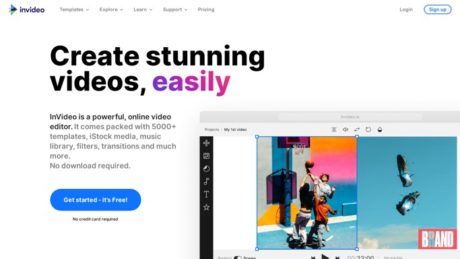
InVideo is a cloud-based video creation platform designed to streamline the process of producing engaging, polished videos for a variety of purposes. Unlike traditional editors, InVideo allows users to generate videos rapidly using either customizable templates or advanced AI tools that automate the entire workflow—from script to visuals to voiceover. Its standout features include AI-powered video generation, text-to-video conversion, a vast library of stock media, and a user-friendly interface that caters to both beginners and professionals.
Choosing InVideo over competitors means unlocking the power of AI for video production. Its unique selling points are the ability to generate a complete video from a simple prompt, the option to edit at both macro (prompt-based) and micro (scene-by-scene) levels, and continuous updates that keep the platform at the forefront of generative video technology. For those who prioritize speed, scalability, and flexibility—without sacrificing quality—InVideo stands out as a top choice. You can explore more about its capabilities on the official InVideo website.
Primary Features
InVideo offers two primary modes for video creation:
- InVideo Studio: The classic template-based editor, launched in 2017, which lets users build videos by customizing professional templates. Features include drag-and-drop editing, scene transitions, and easy text and image overlays.
- InVideo AI: Introduced in 2024, this cutting-edge tool leverages artificial intelligence to generate entire videos from a single prompt. Users can specify the format, style, tone, and target audience, and InVideo AI crafts a video complete with script, visuals (including generative AI imagery), voiceover, transitions, and music.
Other core features include:
- Text-to-Video Conversion: Simply input a script or article, and InVideo automatically selects relevant footage, adds text overlays, and applies transitions for a cohesive output.
- AI Voiceovers: Generate natural-sounding voiceovers in various languages and accents, without the need for recording equipment.
- Stock Media Library: Access millions of royalty-free videos, images, and music tracks to enhance your creations.
- Flexible Editing: Switch between AI-automated editing and manual scene-by-scene adjustments, allowing precise control when needed.
- Collaboration Tools: Enable teams to work together on projects with shared access and commenting features.
- Cloud-Based Access: Work from anywhere, on any device, with all projects saved securely online.
Recent advancements—especially with InVideo AI v3.0—include the ability to generate custom visuals (not just stock footage), produce entire first-draft videos from a prompt, and quickly iterate based on feedback or updated requirements.
Target Audience
InVideo is designed for a broad spectrum of users, making it ideal for:
- Digital Marketers and Social Media Managers: Create eye-catching ads, promos, and social content at scale, tailored for platforms like TikTok, Instagram, Facebook, and YouTube.
- Content Creators and YouTubers: Produce faceless videos, explainer content, and monetizable shorts without advanced editing skills or on-camera presence.
- Small and Medium Businesses (SMBs): Quickly produce product videos, company updates, and customer testimonials to boost marketing efforts.
- Educators and Trainers: Generate video lessons, presentations, and e-learning modules with engaging visuals and narration.
- Agencies and Freelancers: Deliver high-quality videos to clients faster, freeing up time for creative work and client management.
- Beginners and Non-Technical Users: Take advantage of AI automation and templates to produce professional results without a steep learning curve.
Use Cases
InVideo excels in scenarios where speed, scale, and versatility are essential. Some typical use cases include:
- Social Media Campaigns: Launch TikTok videos, Instagram Reels, or Facebook ads in minutes, iterating rapidly based on performance data.
- YouTube Automation: Create faceless, script-driven channels that generate ad revenue without manual editing or voice recording.
- Product Demos and Tutorials: Turn product descriptions or how-to guides into engaging video content for websites and support centers.
- Corporate Training: Develop onboarding and training modules with consistent, branded visuals and narration.
- Educational Content: Transform lesson plans and blog posts into animated, easy-to-follow teaching videos.
- Marketing and Promo Videos: Produce attention-grabbing content for email campaigns, landing pages, or events.
Pros of InVideo
InVideo offers several powerful advantages:
- Lightning-Fast Production: AI-driven workflows mean you can generate first-draft videos in seconds, perfect for tight deadlines and ongoing content needs.
- No Editing Experience Required: The intuitive interface and template system lower the barrier to entry for new users.
- Rich Stock Library: Access to millions of royalty-free assets enhances creative flexibility.
- Flexible Editing Modes: Switch between fully automated and detailed manual editing as needed.
- Cloud-Based Collaboration: Teams can collaborate in real-time from anywhere.
- Affordable Pricing and Free Plan: Competitive pricing plans and a free tier make it accessible for individuals and small businesses.
- Continuous Feature Updates: Regular upgrades (such as the leap to AI v3.0) mean users benefit from the latest innovations in generative video.
Cons of InVideo
Like any tool, InVideo has its drawbacks:
- AI Limitations: The automated editing and script understanding can sometimes produce generic or mismatched visuals, especially with complex topics or nuanced scripts.
- Credit System: Editing and video generation actions consume credits, which may limit usage on the free or lower-tier plans.
- Customization Trade-Offs: While AI is fast, those seeking frame-perfect control or highly original visuals may find template or AI-generated content less flexible than traditional editors.
- Learning Curve for Advanced Editing: Users wanting deep customization may need time to learn the scene-based manual editor.
- Occasional Bugs or Glitches: Like many cloud-based tools, performance may vary depending on internet connection and platform updates.
Why Choose the software?
InVideo is the solution for anyone looking to bridge the gap between speed and quality in video production. Its AI-powered capabilities mean you can go from idea to published video in a fraction of the time it takes with traditional tools, making it ideal for marketers, educators, entrepreneurs, and content creators who need to produce videos at scale. Its blend of automation and manual editing options caters to a range of skill levels, while the expansive stock library and built-in voiceover generator further reduce the need for external resources.
What truly sets InVideo apart is its commitment to democratizing video production. Whether you’re launching a new product, explaining a complex idea, or building a personal brand, InVideo provides the tools to bring your vision to life quickly and professionally. The combination of affordability, AI innovation, and ease of use makes it a compelling choice for anyone serious about video content in 2025 and beyond. For more details and to try it yourself, visit the official InVideo site.
Features
Reporting
There is no explicit information available on InVideo’s website or help center regarding reporting capabilities, key metrics tracked, or business use cases for reporting. InVideo does not state or document any built-in reporting features.
Integrations
InVideo offers explicit integration with AI assistants and developer tools via its Model Context Protocol (MCP) Server. Supported integrations include: Claude.ai (Teams and Enterprise users can add the InVideo MCP server directly to their Claude.ai integrations menu, enabling Claude to generate or edit videos with InVideo AI via text-based prompts); Cursor (developers can connect Cursor with InVideo MCP for seamless AI-powered video generation and editing within their workflow); and Windsurf (integration is available through configuration with the MCP server). The integration is achieved by entering the MCP server URL (https://mcp.invideo.io/sse) into the integrations settings of the supported platform. This enhances workflow by allowing users and AI assistants to automate video generation, editing, and asset management directly from their preferred tools. (Reference: InVideo Model Context Protocol Server Help Article)
Mobile Apps
InVideo explicitly provides a mobile app for iOS: invideo AI: AI Video Generator (iOS, App Store). Key features of the iOS app include AI-powered video creation from text prompts (users can type an idea or script, and the app generates a video complete with script, voiceover, media, and subtitles in under 5 minutes); easy editing with natural language commands (change voiceover, subtitle language, background music, and more via simple text instructions); support for 50+ languages, multiple use case prompts (educational, real estate, blog-to-video, script-to-video, etc.), and publishing-ready exports; upload your own music tracks and access an expanded stock media library; and availability on iPhone, iPad, and Apple Vision devices (iOS/iPadOS 16.0 or later). The mobile app is ideal for marketers, business owners, and content creators needing quick, professional-quality videos on the go, with features closely mirroring the web-based AI editor. There is no explicit confirmation of an Android app on the Play Store in the crawled or searched material.
Single Sign-On
There is no explicit information or documentation from InVideo’s official website or help resources regarding Single Sign-On (SSO) support, compatible platforms, or how SSO may enhance convenience or security for users.
Automation
InVideo provides extensive automation features, primarily through its AI-powered video generation and editing tools. Users can input a prompt, and InVideo AI generates a video complete with script, voiceover, stock or generative media, music, and subtitles. The Magic Box is an AI-driven command interface that lets users instruct the AI to edit videos (delete scenes, change music, adjust effects, etc.) via natural language, automating complex editing tasks. Automated workflows for various styles and platforms (such as YouTube, Instagram Reels, TikTok, educational videos, and ads) reduce manual editing time and optimize output for specific use cases. Time-saving and optimization examples include rapid script-to-video conversion, instant translation/voiceover changes, and bulk editing with simple commands, all explicitly confirmed in product descriptions and app documentation.
Security
The only explicit security information available is found in InVideo’s privacy policy and mentions of “advanced security” for enterprise plans. The App Store privacy section indicates that data used to track users includes identifiers, data linked to users includes contact info and identifiers, and data not linked to users includes user content, usage data, and diagnostics. No explicit reference is made to compliance with standards such as GDPR or SOC 2 on InVideo’s official materials. For further details, users are directed to the InVideo Privacy Policy.
API
InVideo provides a Model Context Protocol (MCP) Server API (https://mcp.invideo.io/sse), documented as a bridge between AI assistants (like Claude.ai) and InVideo AI. The API allows text-based video generation and editing commands, as well as direct integration with supported AI and developer tools for workflow automation. This API is currently in Beta, and further developer documentation is available via the help center article.
Deployment
InVideo is a cloud-based SaaS video creation platform. All video creation, editing, and collaboration features are delivered via the web app at invideo.io or through the iOS mobile app. There is no on-premises deployment option documented or offered by InVideo. Cloud deployment advantages include immediate access, no local installation required, real-time collaboration, and continuous updates. No explicit cons or limitations of cloud deployment are stated on InVideo’s website. If enterprise users require “advanced security and flexible pricing,” the site encourages them to contact InVideo directly for custom solutions.
If information is not explicitly stated for a section above, it is because it is not confirmed or published by InVideo.
Videos
InVideo.io Video Tutorials & Product Overviews
1. Invideo AI – Full Tutorial: Best AI Video Generator
This comprehensive video tutorial demonstrates how to use the AI-powered features of InVideo.io to create videos in any language. The presenter starts by showing how to sign up, enable beta features, and use advanced AI models. You learn to enter detailed prompts to generate scripts, select video formats and styles, and even clone your own voice for unique voiceovers (feature available on paid plans). The tutorial covers:
- Generating video scripts and matching stock footage automatically
- Customizing video language, music, and voiceover options
- Editing subtitles and making scene-by-scene changes with AI commands
- Adding your own media or stock footage to specific script sections
- Manually editing scripts and refining the video with a timeline editor
- Exporting finished videos for various platforms (YouTube, TikTok, etc.)
The tutorial emphasizes the flexibility and power of InVideo’s AI for rapid, customized video creation in multiple languages, making it suitable for creators seeking efficiency and creative control.
2. InVideo AI Review & Walkthrough
This video provides a product overview and review of InVideo AI, showcasing its main features and ease-of-use. The creator generates a video from a simple prompt, highlights the ability to choose templates, add stock media, apply AI-generated voiceovers, and edit content directly in the browser. The walkthrough is ideal for new users interested in seeing the workflow from project creation to export, as well as for those evaluating InVideo.io against other video creation platforms.
Resources
Training
InVideo provides a variety of training resources for users of all levels. There are comprehensive online courses available on platforms such as Udemy, which cover video creation techniques, templates, and the use of InVideo’s features.
Additionally, InVideo hosts webinars and publishes guides to help users maximize their productivity and creativity. An example is their official blog post explaining webinars and their effectiveness, available at invideo.io/blog/webinar/. These resources are updated to reflect new features and best practices, and external video tutorials can also be found on YouTube and LinkedIn Learning.
Wiki/Docs
InVideo maintains a detailed and frequently-updated documentation center, known as the InVideo Help Center. The Help Center provides step-by-step guides, frequently asked questions, and troubleshooting tips for every major aspect of the platform, including getting started, usage, pricing and plans, avatars, user-generated content ads, brands, and products. Each section is broken down into practical articles, making it easy to find relevant information for both new and experienced users.
Community
InVideo has an active and engaged user community. The official InVideo Community Facebook group allows users to share tips, ask questions, and get feedback on their projects. Another Facebook group, the Video Marketing And Creation Hub by InVideo, is focused on video marketing and collaboration.
In addition, InVideo hosts an official Discord server for real-time discussion, support, and networking among users and enthusiasts. These platforms provide a space for knowledge sharing, collaboration, and direct interaction with both peers and the InVideo team.
Support
InVideo offers several official support channels. Users can reach customer support via email at support@invideo.io. There is also a live chat feature available on the InVideo website and within the application.
According to InVideo’s own documentation and blog, their customer support replies within approximately 2 minutes and is available 24/7 for both free and paid users. All support resources and contact options are detailed within the InVideo Help Center.
No phone support details are publicly available as of this writing.
Pricing
invideo.io Pricing Structure: Plans and Features
The software invideo.io offers several plan types, each tailored for different user needs. The main plans are Free, Plus, Max, Generative, and Enterprise. Below is a detailed table summarizing the available pricing plans, their costs, and key features, based on the latest available information from the official site and a comprehensive, up-to-date YouTube video review.
| Plan Name | Price | Main Features | AI/Generative Credits | Exports | User Access | Voice Clones | Storage | Watermark |
|---|---|---|---|---|---|---|---|---|
| Free | $0 | 10 video minutes per week, 1 AI credit per week, access to 1 Express avatar, limited to stock video and images only, no access to generative AI features. | No generative credits, 1 AI credit/week | 4 exports per week | 1 user | No voice clones | 10 GB | Yes |
| Plus | $28/month (approx., varies with add-ons) | 50 AI minutes, enhanced stock video/image library, 2 voice clones, ability to add more credits for additional video time (at extra cost). | 60 seconds/month generative credits (1 min video from scratch), 50 AI minutes/month for stock library videos | Unlimited | 1 user | 2 voice clones | Not specified | No |
| Max | $50-60/month (approx., varies with add-ons) | 200 AI minutes, access to an even larger stock library (320 assets), 5 voice clones, more storage for larger projects. | 60 seconds/month generative credits, 200 AI minutes/month | Unlimited | 1 user | 5 voice clones | 400 GB | No |
| Generative | More expensive, specific pricing not listed publicly | Designed for high-volume or enterprise users, includes high generative quotas and advanced AI capabilities. Recommended for users needing extensive custom video generation. | Higher generative credits (exact amount varies) | Unlimited | Not specified | Not specified | Not specified | No |
| Enterprise | Custom (contact sales) | Tailored for large organizations, with advanced security, flexible pricing, and custom feature sets. | Custom | Custom | Custom | Custom | Custom | No |
Free Trial Availability and Signup Process
invideo.io offers a Free plan that functions as a perpetual free trial. This plan provides 10 video minutes and 1 AI credit per week, with access to stock video and image creation only, but it does not allow users to generate content from scratch using generative AI features. Four exports per week are permitted, and all exported videos contain a watermark. Voice cloning and advanced AI features are not included. There is no separate, time-limited free trial beyond this always-available Free plan.
To sign up for the Free plan, users must:
- Navigate to the invideo.io website.
- Click on the “Try for free” button or a similar signup link (often highlighted on the pricing page).
- Create an account by entering an email address and setting a password, or by signing in with Google or other supported authentication methods.
- Once registered, users can immediately start using the Free plan features. No credit card is required for the Free plan signup.
The Free plan is especially useful for testing the platform’s interface, stock media capabilities, and export process, but it is limited by watermarked outputs and lack of advanced AI generation.
Product Demo Availability and Access
There is no official, scheduled live demo or interactive product tour directly referenced on the invideo.io website. However, users can freely explore the platform’s capabilities by registering for the Free plan, which serves as a hands-on demo environment. This allows potential customers to test the interface, video editing tools, and export process before committing to a paid plan.
For users seeking guided demonstrations, invideo.io offers 24/7 customer support and encourages users to contact their support team for personalized assistance or walkthroughs. There is also a Help Center with articles and video guides, but there is no explicit “book a demo” feature or live webinar listed at this time.
YouTube Demonstrations and Reviews
Several independent YouTube creators have produced detailed reviews and demonstrations of invideo.io. These videos often cover the setup process, user interface, pricing plans, and real-world use cases. Notable demonstrations and reviews include:
InVideo AI Pricing Plans: Everything You Need to Know (SECRETS)
This video provides an in-depth analysis of every pricing plan, limitations, and strategic tips for maximizing each tier. The presenter explains the crucial differences between AI minutes and generative credits, as well as the pros and cons of the Free, Plus, and Max plans.
For additional demonstration or review content, a simple search for “invideo.io review” or “invideo.io demo” on YouTube reveals numerous up-to-date videos, with creators often showcasing the workflow and output quality.
Reviews
Review Insights
Trustpilot
Trustpilot Score: 3.1/5 (864 reviews)
Link: Read all Trustpilot reviews
Positive feedback: Users commonly praise InVideo for its easy-to-use interface, making it accessible for both beginners and professionals. The platform’s extensive templates and media library are highlighted as a major advantage, allowing for fast video creation. Support is noted as generally responsive, particularly for technical questions.
Negative feedback: A frequent complaint is the pricing model, especially the cost of video regenerations/credits with the AI features. Several users report frustration when the AI does not follow instructions, requiring multiple (and charged) attempts to get a satisfactory result. Other concerns include occasional lag and technical glitches, issues with saving changes, and customer service interactions that rely too much on bots.
Direct Review Examples:
“Pricey and Underwhelming” – User notes straightforward use but moved away due to high upgrade costs and AI spelling mistakes (July 2025).
“Buyer beware” – Points out that users are charged credits for each regeneration, even when AI output is wrong, leading to very high costs per finished video (July 2025).
“Click bait in ad, bad AI experience” – Complaints about misleading ads and poor AI performance in video rendering (June 2025).
G2
Link: Read G2 reviews
Users on G2 appreciate InVideo’s drag-and-drop functionality, the large media library, and how quickly they can create marketing and social videos. Some mention feature limitations in the lower pricing tiers and desire more advanced editing features. There are occasional complaints about rendering speed and the subscription model.
Capterra
Link: Read Capterra reviews
Capterra reviewers highlight the intuitive interface, ease of use, and rich library of templates, images, and audio. Some negative feedback relates to output video quality and occasional glitches during editing or exporting.
Customers
- Goodish Agency – Case Study
Goodish Agency uses InVideo to streamline video creation for digital marketing campaigns. For example, they created a corporate video for ATC Healthcare, a multibillion-dollar staffing company, meeting tight deadlines and high-quality requirements. The agency also produces promotional and social media videos for various clients, relying on InVideo for fast turnarounds and professional results. - ATC Healthcare (via Goodish Agency)
ATC Healthcare leverages InVideo for corporate communications and staff marketing videos. - Note: The official InVideo case studies blog currently has no public case studies listed as of this writing.
InVideo Alternatives
- Fliki
offers AI-powered video creation from text, voiceovers, a stock asset library, and multilingual support. Fliki has a free plan with watermark; paid plans start at $21/month. It’s designed for marketers, educators, and social media managers needing quick video content from scripts or blog posts. - Synthesia
specializes in AI avatars, text-to-video, and voiceover in 120+ languages. Personal plans start at $22/month, with corporate pricing available. Synthesia is best for businesses creating training, explainer, or marketing videos with AI presenters. - VEED
is an online video editor offering auto subtitles, templates, text-to-speech, and team collaboration. VEED has a free plan with watermark, with Pro starting at $18/month. It caters to content creators and small teams seeking affordable, browser-based video editing. - Pictory
transforms scripts or blogs into videos, with a stock library, voiceover, and captions. Pictory offers a free trial and paid plans from $23/month, targeting marketers, agencies, and bloggers seeking automated social video creation. - RunwayML
provides advanced AI video editing, text-to-video, green screen, and video inpainting. RunwayML has a free limited plan and a Standard plan from $12/month. It’s aimed at creative professionals, filmmakers, and editors exploring AI creative tools.
Further user ratings and comparisons:
Fliki – Top Alternatives to InVideo,
VEED on Trustpilot,
Pictory on Trustpilot,
Synthesia on Trustpilot
YouTube Demo Videos
InVideo Demo & Tutorial (YouTube)
InVideo Complete Walkthrough (YouTube)
Conclusion
InVideo stands out as an AI-driven video creation platform that significantly lowers the barrier for producing professional-looking videos, especially for users without advanced editing skills or access to traditional, expensive software. Its two-pronged approach—with InVideo Studio offering robust template-based editing and InVideo AI delivering end-to-end automated video generation—caters to a broad spectrum of creators, from marketers and educators to YouTubers and small business owners. The platform excels in usability, offering a smooth onboarding experience, a clean interface, and an extensive template library that streamlines regular content production. Its text-to-video capabilities, intelligent scaling for different aspect ratios, brand kit support, and rapid AI video generation are frequently highlighted as major advantages, making it ideal for producing social media content, explainer videos, and quick promos at scale. Furthermore, the cloud-based nature allows for anywhere access and easy collaboration.
However, InVideo is not without its drawbacks. While its AI can generate a complete video from a single prompt, the resulting output often requires manual refinement to meet higher standards of polish—especially for professional agencies or creators seeking full creative control and nuanced storytelling. The editing flexibility in AI-generated videos is limited compared to traditional editors, and every revision or generative action consumes credits, which can add up quickly and make the service feel expensive relative to competitors like Runway AI or Kling AI, especially when frequent iterations are needed. The processing time for generating videos can be considerable, and while the template-based approach is fast, it can occasionally feel rigid if you wish to stray from preset structures. Pricing is perceived as somewhat steep, particularly for the AI features, although the platform does offer a free plan with limited credits for trial purposes. As for alternatives, CapCut and Fliki are often mentioned as comparable options—CapCut is praised for hands-on editing and flexibility, while Fliki offers similar AI video generation with different strengths in script and voiceover handling.
In summary, InVideo is a top contender for individuals and small businesses needing to produce high volumes of decent-quality video content rapidly, with minimal learning curve and reasonable creative input. It is less suited for users demanding granular control or broadcast-level quality. Taking into account its innovative feature set, ease of use, limitations in deep editing, value for money, and the competitive landscape, my rating for InVideo is 8 out of 10. This score reflects its outstanding accessibility, time-saving automation, and versatility, offset by the relatively high cost of advanced features and some rigidity in customization for more demanding creators. If speed, convenience, and output volume matter most, InVideo is an excellent choice, but users seeking ultimate creative freedom or the best value may want to explore alternatives as well.
FAQs
What features does InVideo offer?
InVideo provides an online video editing platform designed to help businesses and individuals create professional-quality videos with custom content and branding. The platform includes AI-powered video creation, a wide selection of templates, easy editing tools, stock media access, script writing, and voiceover capabilities. Users can export the finished videos and share them across various social media and marketing channels. Detailed information about all available features may require direct exploration within the application, as full specifications were not publicly listed in the most recent sources.
What are the current pricing options for InVideo?
InVideo offers a Free plan which includes 10 video minutes and 1 AI credit per week, access to 1 Express avatar, and 4 exports per week with an InVideo watermark. The Free plan does not include generative features. For larger organizations or those needing advanced features, there is an Enterprise plan with custom solutions and flexible pricing, which requires contacting InVideo for details. More granular pricing tiers or professional plans were not published on the most recent public pricing page; you may need to visit the platform or contact support for the latest full pricing structure.
What integrations are available with InVideo?
Information about specific integrations available with InVideo could not be verified from the most recent public sources. While InVideo is designed for sharing video content across social media and other platforms, details about direct integrations with third-party applications, such as content management systems or marketing tools, are not specified. Users seeking integration capabilities are advised to contact support or consult the InVideo platform directly for up-to-date integration options.
What customer support options does InVideo provide?
InVideo offers 24/7 customer support to assist users with choosing a plan or resolving any issues related to the platform. The support team can be reached directly from the InVideo website, and assistance appears to be available for both technical and billing inquiries. There is also a help center with resources for common questions and troubleshooting.
How is InVideo deployed?
InVideo is a cloud-based platform, meaning it is accessed entirely through a web browser without the need for software installation on user devices. This allows users to create, edit, and export videos from anywhere with an internet connection. No details were available regarding on-premises deployment or downloadable desktop applications.
How many users and countries does InVideo serve?
According to the latest public data, InVideo has over 25 million customers across 190 countries, indicating broad global adoption and support.
Is there a free plan available on InVideo?
Yes, InVideo provides a Free plan that includes limited video creation minutes, AI credits, and export capabilities each week. Videos exported on the Free plan have a watermark, and access to advanced generative features is not included.
Where can I find more help or information about InVideo?
Users seeking more detailed information or assistance can access the InVideo Help Center or reach out to the 24/7 support team through the InVideo website. For the most accurate and up-to-date information about features, integrations, or pricing, contacting support is recommended.
Your email address will not be published. Required fields are marked *.