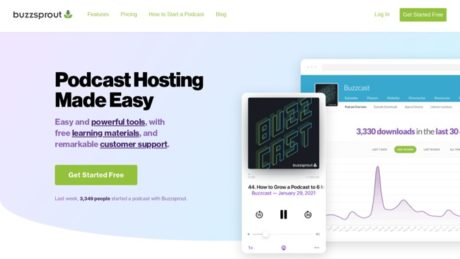
Buzzsprout Review: Top Podcast Hosting for Beginners?
About
Podcasting has revolutionized the way creators, brands, and educators connect with audiences worldwide. Choosing the right podcast hosting platform can significantly impact the accessibility, reach, and quality of a show. Buzzsprout has emerged as a leading solution, offering a robust yet easy-to-use environment for both novice and seasoned podcasters. Below is a comprehensive overview designed to help readers understand the value, features, and suitability of Buzzsprout for various podcasting needs.
Summary
Buzzsprout is a dedicated podcast hosting platform designed to simplify the process of publishing, distributing, and promoting podcasts. Its primary purpose is to provide creators with a reliable and user-friendly hub for storing audio content, managing episodes, and seamlessly distributing them across major directories such as Spotify, Apple Podcasts, and Amazon Music. Buzzsprout caters to a broad audience, from beginners launching their first show to professionals and organizations seeking advanced analytics and monetization options. The platform addresses key podcasting pain points: technical complexity, distribution hassles, and the need for high-quality audio delivery. Through its intuitive interface and automation features, Buzzsprout enables creators to focus on content while it handles the technical aspects of hosting and syndication.
Primary Features
Buzzsprout stands out for its blend of usability and powerful features. Its dashboard is clean and intuitive, making episode uploads, organization, and scheduling straightforward—even for users without prior podcasting experience. The software supports unlimited team members, allowing for collaborative workflows. A standout feature is the automated distribution tool, which submits episodes to all major podcast directories from one place, eliminating manual submission steps.
Advanced analytics provide actionable insights into audience demographics, listening platforms, and episode popularity, helping podcasters refine their content strategies. The Magic Mastering tool is a unique selling point, automatically enhancing audio quality by balancing levels and reducing background noise, which is especially valuable for beginners. Buzzsprout also offers a customizable podcast website, visual soundbites for social media promotion, episode transcription services, and streamlined monetization options. Compared to many competitors, Buzzsprout’s onboarding experience, educational resources, and responsive customer support are often cited as top reasons to choose the platform. Its commitment to not compressing audio files ensures listeners enjoy high-fidelity playback, regardless of where they tune in.
For those looking for a modern, worry-free podcasting solution, Buzzsprout’s seamless integration of essential tools and supportive community make it a compelling choice. Learn more in this detailed review.
Target Audience
Buzzsprout is designed to serve a diverse range of podcasters, making it suitable for:
- Beginners seeking an approachable entry point into podcasting, with guided setup and minimal technical hurdles.
- Professionals and established podcasters who need advanced analytics, robust distribution, and monetization features.
- Small to medium-sized businesses (SMBs) utilizing podcasts for brand-building, internal communication, or customer engagement.
- Nonprofits, educators, and community organizers looking to share stories, lessons, or causes through audio content.
Its scalability and flexible pricing also make it ideal for growing podcasts that anticipate expanding their reach or producing more content over time.
Use Cases
Launching a New Podcast: Beginners can leverage Buzzsprout’s onboarding guides, automated distribution, and Magic Mastering to launch a professional podcast without prior experience.
Brand Storytelling and Marketing: SMBs and organizations use Buzzsprout to create branded podcasts, share industry insights, and nurture customer relationships. The platform’s analytics help tailor content to audience preferences.
Educational Series: Teachers, coaches, and online educators utilize Buzzsprout’s transcription and chapter markers to create accessible, structured educational content for students or subscribers.
Community Building: Nonprofits and advocacy groups create podcasts to rally support, share updates, and engage their communities, benefiting from Buzzsprout’s website and email integration features.
Remote Team Collaboration: Shows with multiple hosts or contributors can easily manage uploads, edits, and releases collaboratively within the same dashboard.
Pros of Buzzsprout
One of Buzzsprout’s greatest strengths is its simplicity—podcasters can go from sign-up to first episode in minutes. The user interface is clean and unintimidating, and the platform handles technical processes behind the scenes. Automated directory submission saves time and ensures wide distribution, while Magic Mastering delivers broadcast-quality audio without the need for an engineer. Buzzsprout’s analytics dashboard is clear and detailed, supporting growth strategies. The ability to customize a podcast website and create visual soundbites makes promotion easier. Responsive customer support and an active user community provide additional safety nets for new and experienced users alike. The platform’s pay-as-you-grow pricing model ensures affordability, with the flexibility to scale as your podcast grows.
Cons of Buzzsprout
Despite its strengths, Buzzsprout is not without limitations. Some creators may find that advanced features such as dynamic ad insertion or extensive third-party integrations are less developed compared to certain competitors. The free plan has limitations, including a 90-day episode hosting window and restricted storage, which may not suit long-term archival needs. Magic Mastering, while powerful, is an additional paid feature rather than included by default. Also, users with highly specialized technical requirements or large podcast networks might seek more customization than Buzzsprout currently allows.
Why Choose Buzzsprout
Buzzsprout is an outstanding choice for anyone seeking a streamlined, reliable, and supportive podcast hosting solution. Its unique blend of automation, high-quality audio delivery, and educational resources removes the typical barriers to entry for new podcasters. For those who value simplicity, wide syndication, and actionable analytics, Buzzsprout provides a worry-free environment to grow an audience and concentrate on content creation. The platform’s continuous improvements, strong support, and active user base ensure that both new and established podcasters have the tools they need to succeed.
For further reading and in-depth user experiences, visit this comprehensive Buzzsprout review.
Features
Reporting
Buzzsprout provides advanced podcast statistics designed to help creators and businesses understand their audience and monitor podcast performance. Users can access detailed metrics such as total downloads over time, which gives insight into the growth and popularity of their show. The platform also tracks which apps listeners are using, revealing whether audiences prefer platforms like Apple Podcasts, Spotify, or others. Geographic data allows podcasters to see where their audience is located, informing decisions about content and marketing. These reporting capabilities are integrated directly into the Buzzsprout dashboard and are accessible both on the web and through mobile apps. Businesses leverage these analytics to tailor content strategies, optimize distribution, and measure engagement, ensuring that each episode aligns with audience preferences and trends.
Integrations
Buzzsprout offers seamless integration with a variety of podcast tools, enhancing workflow and extending functionality. One of the most prominent integrations is its direct connection to major podcast directories, allowing users to easily list their shows on platforms such as Apple Podcasts, Spotify, YouTube, Stitcher, iHeartRadio, TuneIn, Alexa, Overcast, PocketCasts, Castro, Castbox, and Podchaser. These integrations simplify the distribution process and maximize podcast reach. Additionally, Buzzsprout supports integration with its own API, enabling tech-savvy users to build custom automations or connect Buzzsprout data with other software solutions. This flexibility allows businesses to synchronize podcast content with websites, marketing tools, or analytics platforms, streamlining their podcast production and promotional workflows.
Mobile Apps
Buzzsprout provides dedicated mobile applications for both iOS and Android platforms, ensuring that podcasters can manage their shows while on the go. Through these apps, users can publish new episodes, monitor podcast statistics, celebrate milestones, or make quick corrections such as fixing typos in episode descriptions. The mobile apps mirror much of the functionality available on the web platform, including uploading audio, viewing analytics, and managing episodes. This mobile accessibility is ideal for podcasters who travel frequently or need to respond quickly to audience engagement and feedback, making Buzzsprout a versatile tool for podcast management from virtually anywhere.
Single Sign-On
Based on available documentation and official resources, Buzzsprout does not currently offer Single Sign-On (SSO) capabilities. There are no mentions of SSO support or compatibility with third-party identity providers or enterprise authentication services. As a result, users must rely on Buzzsprout’s standard username and password authentication for account access.
Automation
Automation is a core feature in Buzzsprout’s workflow, designed to save time and reduce manual tasks for podcasters. The platform automatically optimizes uploaded audio files, handling file types, bitrates, and ID3 tags without the need for user intervention. Episodes can be scheduled for future publication, giving users flexibility and control over release timing. Tools like Magic Mastering automatically enhance audio quality, and Power Clean removes background noise, while Filler Killer eliminates verbal distractions such as “uhms” and “ahs.” The Dynamic Content tool allows users to insert or remove pre-roll and post-roll segments across multiple episodes, streamlining the process of updating intros, announcements, or advertising messages. These automation features collectively enable creators and teams to focus on content creation rather than repetitive production tasks.
Security
Buzzsprout places a strong emphasis on data protection and user privacy. The company’s primary data and servers are hosted at a data center in Atlanta, GA, managed by Rails Machine. This facility is Type 2 SSAE 16 SOC 1 accredited and features rigorous security protocols, including keycard and biometric access controls, armed guards, and 24/7 surveillance. The hosting environment is colocated, providing Buzzsprout with full control over hardware and software access. Multiple layers of backups and redundancy are implemented to ensure high availability and data integrity. While the data center meets SOC 1 standards, Buzzsprout as a platform has not itself undergone a SOC audit. The service is committed to complying with privacy regulations and provides dedicated resources for European Union and Swiss customers regarding GDPR and Privacy Shield. Access to personal data is restricted to authorized employees, contractors, and agents, all of whom are bound by confidentiality and subject to disciplinary action in the event of policy violations.
API
Buzzsprout offers a RESTful API that allows third-party applications and services to integrate directly with the platform. The API uses JSON for data serialization and requires SSL for all requests. Authentication is handled via a token-based HTTP scheme, with tokens managed through the user’s Buzzsprout account. The API enables a variety of operations, including listing and managing episodes, retrieving analytics, and automating publishing workflows. Developers are encouraged to use HTTP caching to optimize requests. The API opens up opportunities for advanced customization, integration with other tools, and the development of bespoke podcast management solutions tailored to unique business requirements.
Deployment
Buzzsprout is delivered exclusively as a cloud-based Software as a Service (SaaS) solution. There are no on-premises deployment options available. All podcast hosting, data management, and analytics are managed within Buzzsprout’s cloud infrastructure, allowing users to access the platform from any device with an internet connection. The advantages of this approach include simplified setup, automatic software updates, built-in scalability, and minimal IT maintenance for users. However, organizations with strict on-premises data requirements or custom infrastructure needs may find the lack of deployment flexibility a limitation. The cloud-native model ensures that podcasts are reliably hosted and distributed, with robust uptime and security features provided by the underlying data center.
Videos
Buzzsprout Video Tutorials & Product Overviews
1. How to Use Buzzsprout in Less Than 5 Minutes
This quick tutorial walks you through the basic steps of using Buzzsprout, perfect for beginners. It covers account creation, podcast setup, uploading episodes, and basic settings. The video is ideal if you’re new to Buzzsprout and want a fast overview.
2. Buzzsprout Getting Started Step by Step Tutorial
This comprehensive step-by-step guide explains the Buzzsprout dashboard, menu options, and features in detail. It helps new users understand the full process from starting a podcast to managing episodes and distributing content to major platforms.
3. Official Buzzsprout YouTube Channel
The official Buzzsprout YouTube channel contains a wide range of videos including in-person podcast recording, improving microphone sound, recording multiple people, and step-by-step podcasting guides. It’s a valuable resource for ongoing learning and troubleshooting.
Resources
Training
Buzzsprout offers a variety of training resources to help new and experienced podcasters. The most prominent is the free online video course, “How to Start a Podcast,” available through Buzzsprout School. This course provides a comprehensive, step-by-step guide to launching your own podcast, covering topics such as choosing a podcast name, selecting equipment, recording and editing, and distributing your podcast to platforms like Apple Podcasts and Spotify. The course is self-paced and includes video tutorials on specific software like GarageBand, Audacity, and SquadCast. In addition, Buzzsprout maintains an in-depth blog featuring articles like “How to Start a Podcast: Complete Step-by-Step Guide” and curated lists of the best free and paid podcasting courses, which expand on concepts of podcast marketing, monetization, and technical setup. For users who prefer an audio format, Buzzsprout has also produced a serial podcast that walks listeners through every stage of podcast creation and launch.
Wiki/Docs
Buzzsprout does not maintain a traditional public wiki, but it provides extensive documentation and help articles through the Buzzsprout Help Center. This resource includes categorized sections such as Getting Started, Directories, Features, Stats, FAQs, Troubleshooting, Embedding, WordPress integration, Buzzsprout Ads, Subscriptions, and the Buzzsprout App. Each section offers detailed written guides and step-by-step instructions covering both fundamental and advanced aspects of using Buzzsprout. The Help Center is the primary location for official documentation, offering clarity on podcast setup, distribution, analytics, monetization, and technical issues. There is no evidence of a separate wiki platform.
Community
Buzzsprout has an active user community, primarily centered on the Buzzsprout Podcast Community Facebook group and the r/Buzzsprout subreddit. The Facebook group is designed for podcasters using Buzzsprout to connect, share experiences, ask questions, and help each other troubleshoot. The subreddit serves a similar purpose for Reddit users, providing a platform for discussion, tips, and support related to Buzzsprout and podcasting in general. There is no official Buzzsprout forum or Discord server publicly listed at this time.
Support
Buzzsprout provides support primarily through email. Users are encouraged to contact the support team for more in-depth questions by emailing support@buzzsprout.com. The Help Center also offers self-service solutions with comprehensive documentation and troubleshooting articles. There is no evidence of live chat or phone support options, and the official documentation does not specify average response times or support hours. If any additional support channels exist, they are not publicly documented.
Pricing
Buzzsprout Pricing Structure and Plan Features
Buzzsprout offers a range of plans designed for podcasters at different stages. All plans can be started without a credit card, with no contracts and the freedom to cancel anytime. Below is a detailed table of all available plans and their features as of 2024:
| Plan | Monthly Price | Upload Hours per Month | Episode Hosting Duration | Storage | Advanced Stats | Team Members | Hosted Website | Podcast Import | Subscriptions (Premium Content) | Magic Mastering (add-on) | Cohost AI (add-on) | Additional Upload Fees |
|---|---|---|---|---|---|---|---|---|---|---|---|---|
| Free | $0 | 2 hours | 90 days | Limited | Yes | Unlimited | Limited; upgrade for full | Upgrade required | Not available | Not available | Not available | Not applicable |
| $12/month | $12 | 3 hours | Indefinitely | Unlimited | Yes | Unlimited | Yes | Free | Available | $6/month | $10/month | $4 per extra hour |
| $18/month | $18 | 6 hours | Indefinitely | Unlimited | Yes | Unlimited | Yes | Free | Available | $9/month | $20/month | $3 per extra hour |
| $24/month | $24 | 12 hours | Indefinitely | Unlimited | Yes | Unlimited | Yes | Free | Available | $12/month | $30/month | $2 per extra hour |
All paid plans include podcast statistics, a podcast website, custom embed players, and access to podcast directories. Additional services such as episode transcription are available at $0.25 per minute.
Free Plan and Free Trial Details
Buzzsprout offers a free hosting plan rather than a time-limited free trial. With the free plan, users can upload up to 2 hours of content each month. Episodes are hosted for 90 days before being removed. This plan allows potential customers to experience the platform without payment or time pressure, and no credit card is required for signup. Features such as advanced statistics and unlimited team members are included, but premium add-ons, subscriptions, and unlimited hosting duration require an upgrade to a paid plan.
The sign-up process for the free plan is straightforward: visit buzzsprout’s sign-up page, enter your email, and follow the setup steps. No credit card information is needed for the free plan.
Product Demo and Tutorials
While buzzsprout does not appear to offer a traditional product demo (such as a scheduled live demonstration), there is a comprehensive set of video tutorials available. These tutorials cover everything from getting started to publishing episodes, managing your show, and using advanced features like Magic Mastering or Cohost AI. The official YouTube channel and various third-party creators provide in-depth walkthroughs. Common topics include setting up your podcast, distributing to directories, using analytics, and optimizing sound quality.
You can access buzzsprout’s official tutorials and guides directly on their YouTube channel.
Relevant YouTube Videos for Buzzsprout
For visual learners and those seeking a step-by-step overview, the following YouTube resources are recommended:
Buzzsprout Tutorial 2025: How To Start a Podcast Step-By-Step
How to Use Buzzsprout in Less Than 5 Minutes
Buzzsprout — Learn How to Podcast (Official Channel)
These videos provide practical insights into launching, managing, and growing your podcast using buzzsprout.
Additional Notes
There are no lifetime or one-time payment options available for buzzsprout. All plans are monthly subscriptions. If a feature or demo is not explicitly listed here, it is not currently publicly available or advertised by buzzsprout. For the most current plan details and any upcoming features, always refer to the official buzzsprout pricing page.
Reviews
Review Insights
Trustpilot
See all Buzzsprout reviews on Trustpilot
Overall Rating: 4.7 / 5 (3,224 reviews)
- Jane Jackson (AU) – July 8, 2025:
“I’ve been using Buzzsprout for over 10 years and love it! Thank you!”Date of experience: June 24, 2025
[Source] - Michael (CA) – June 26, 2025:
“I have utilized Buzzsprout since 2022. The site has exceeded most of my expectations. It has a very user-friendly interface, episodes are saved, and analytics are tracked. Plus, other podcast sites can be linked through Buzzsprout’s central hub. Also, support is top-notch. Thank you again for everything!”Date of experience: June 26, 2025
[Source] - AN, Ireland – May 8, 2025:
“Buzzsprout are thee experts in the truest meaning of the term. Immediately responsive with a we can do attitude. First class service at its finest. Highly recommended. The best decision was to go with Buzzsprout.”Date of experience: April 24, 2025
[Source] - Kimberlee Riecker (CA) – April 9, 2025:
“The customer service was so efficient. It says they’ll get back to you within 24 hours but they got back to me within less than 10 minutes. I had a network issue and they troubleshooted it quickly and efficiently. One of the best customer service teams I’ve ever had the pleasure of working with! Thank you!!”Date of experience: April 7, 2025
[Source] - Sharam Namdarian (CA) – May 1, 2025:
“It’s really good but I want one account with multiple podcasts.”Date of experience: April 24, 2025
[Source]
- Unclepucker – April 6, 2023:
“We began our podcast about 6 months ago and have been using Buzzsprout since the beginning. Your website has worked perfectly. We have no trouble uploading and publishing our show to many different platforms.”
[Source] - Ginny – December 3, 2024:
“Buzzsprout made it so easy for someone who has zero experience with anything to do with starting and running a podcast. Now I’m coming up on a year with almost 20 episodes published. I couldn’t be happier.”
[Source]
Notable patterns from Trustpilot:
- Users consistently praise Buzzsprout’s user-friendly interface and ease of use for both beginners and experienced podcasters.
- Customer service is frequently mentioned as being highly responsive, efficient, and helpful.
- Many users mention the value of analytics and the ability to distribute podcasts across multiple platforms via Buzzsprout.
- Some users note desires for additional features, such as support for multiple podcasts under one account.
G2
Full review content from G2 could not be extracted, but the above link provides verified user reviews.
Capterra
See Buzzsprout reviews on Capterra
Full review content from Capterra could not be extracted, but the above link provides verified user reviews.
Customers
Buzzsprout is widely used by independent creators, but there is verifiable public evidence of notable organizations leveraging the platform for their podcasting needs. Below are specific examples backed by direct sources of how organizations use Buzzsprout in their operations:
- ACT-IAC (American Council for Technology and Industry Advisory Council)
The Buzz with ACT-IAC is the official podcast of ACT-IAC, a leading U.S. public-private partnership dedicated to advancing government technology. The podcast is hosted on Buzzsprout and features weekly episodes where government and industry leaders discuss key topics such as innovations in public sector contact centers, the impact of technology on service delivery, and best practices learned from government case studies. The show is promoted as a resource for staying informed on federal technology issues, demonstrating Buzzsprout’s capability to serve the needs of large, mission-driven organizations in the public sector.
Source: thebuzzwithactiac.buzzsprout.com - Girl Scouts of Kentucky’s Wilderness Road Council
The Bring Out the Talent podcast (by The Training Associates) features a case study episode on the Girl Scouts of Kentucky’s Wilderness Road Council, illustrating how the organization underwent a cultural transformation using leadership development principles. The episode details how Buzzsprout is used as the hosting platform to share these impactful stories, helping the Girl Scouts communicate their journey and success to a wider audience.
Source: buzzsprout.com/1788200/episodes/11854231
At this time, there is no evidence in publicly available sources of major corporations or globally recognized brands using Buzzsprout for their official podcasts. The above examples are drawn directly from Buzzsprout-hosted podcasts featuring notable nonprofit and government organizations.
Buzzsprout Alternatives
When considering alternatives to Buzzsprout for podcast hosting, several leading platforms stand out: Libsyn, Podbean, Spotify for Podcasters (formerly known as Anchor), and Transistor. Each platform offers its own blend of features, pricing models, and intended audiences, making it important to compare them thoroughly before making a decision.
Libsyn is one of the oldest and most established podcast hosting services, best known for its reliability and robust tools for content creators of all experience levels. All Libsyn plans include unlimited bandwidth, IAB-certified statistics, a free podcast website, and distribution to major podcast directories. Pricing starts at $7/month for 3 hours of new uploads per month, with higher tiers at $15/month (6 hours), $20/month (10 hours and advanced stats), and larger plans for video podcasters up to $150/month. Monetization tools and social promotion scheduling are available on higher tiers, making Libsyn a good fit for both beginners and professionals who need advanced analytics and monetization options.
Source: Libsyn Pricing
Podbean is recognized for its ease of use and flexible offerings. Its free tier supports up to 5 hours of total uploads and 100GB of monthly bandwidth, making it appealing for new or casual podcasters. Unlimited audio hosting starts at $9/month (billed annually) or $14/month, including unlimited storage and bandwidth, advanced stats, and monetization options like dynamic ad insertion. The Unlimited Plus plan, at $29/month (or $39 month-to-month), adds video podcast hosting and enhanced customization. Podbean is especially well-suited for creators seeking a straightforward launch and growth experience, with simple distribution to major platforms, customizable podcast sites, and integrated monetization abilities.
Source: Podbean Pricing
Spotify for Podcasters (formerly Anchor) is a completely free platform backed by Spotify. It offers unlimited hosting, distribution to all major platforms, basic analytics, and monetization via ads and listener support. The platform is particularly attractive to hobbyists, new podcasters, or anyone prioritizing cost and simplicity over advanced analytics or customization. Its direct integration with Spotify and the ability to include music from Spotify’s catalog are notable features. However, some professional podcasters may find its analytics and branding options more limited compared to paid alternatives.
Source: Spotify for Podcasters
Transistor targets creators and organizations who want to manage multiple shows and scale up their podcasting efforts. All Transistor plans support unlimited podcasts under one account, advanced analytics, a built-in podcast website, and the ability to add team members. Pricing begins at $19/month for up to 20,000 monthly downloads, with the Professional tier at $49/month (100,000 downloads and more private subscribers), and additional plans for higher traffic. Transistor is ideal for serious podcasters, businesses, or networks requiring scalability and collaborative features, as well as reliable analytics and professional support.
Source: Transistor Pricing
Each of these Buzzsprout alternatives brings unique strengths, from Libsyn’s legacy and analytics to Podbean’s user-friendliness, Spotify for Podcasters’ zero-cost entry, and Transistor’s focus on professional scalability. The best choice depends on your current needs, desired features, and budget. For direct source details and the latest offerings, see their official sites: Libsyn, Podbean, Spotify for Podcasters, Transistor.
YouTube Demo Videos
- How To Use Buzzsprout For Podcasting (Podcast Hosting Platform Demo & Tutorial)
- Buzzsprout Review: Is This The Best Podcast Hosting Platform?
Conclusion
After a comprehensive evaluation, Buzzsprout stands out as a user-friendly podcast hosting solution suitable for beginners and experienced creators alike. Its interface is intuitive, making it easy for users to upload, publish, and distribute episodes across major podcast directories without technical hassle. One of Buzzsprout’s most compelling features is its seamless distribution—podcasters do not have to manually submit their show to each directory, which streamlines the entire process and saves valuable time. The platform also provides a customizable podcast website, robust analytics, and tools such as episode scheduling, integrated transcription, and the engaging Visual Soundbite audiogram creator. These features collectively offer strong support for podcasters focused on growing and engaging their audience. The Magic Mastering tool, while requiring an additional fee, is a notable enhancement for audio quality, and the platform’s refusal to compress audio ensures high-fidelity playback for listeners.
On the downside, Buzzsprout’s free plan is quite limited, both in storage and in how long episodes are hosted before being removed, making it less viable for those looking for a truly free, long-term solution. The absence of built-in recording and editing tools means creators must use separate software for audio production, potentially complicating the workflow for newcomers. Additionally, some of its most attractive features, like Magic Mastering, come with extra costs, which can add up for podcasters seeking premium functionality.
Buzzsprout’s pricing is competitive, with paid plans starting at a reasonable monthly rate and scaling based on the number of hours uploaded. The availability of a free plan enables potential users to test the platform without a financial commitment, though most will quickly find the need to upgrade. Customer support is well-rated, with multiple channels available, including live chat and an in-depth knowledge base. For those seeking alternatives, platforms like Libsyn, Podbean, and Blubrry offer similar core features with their own unique strengths—Libsyn is known for its advanced analytics and monetization options, while Podbean offers integrated live streaming and Blubrry appeals to WordPress users through its PowerPress plugin.
Overall, Buzzsprout is best for creators who value ease of use, streamlined distribution, and clear analytics, and who don’t require built-in audio editing. Its accessible interface and strong feature set make it a top contender, especially for those new to podcasting. However, the lack of included advanced production tools and the need to pay extra for certain enhancements are important considerations. Based on features, usability, pricing, and the competitive landscape, I rate Buzzsprout an 8.5 out of 10. This score reflects its excellent usability, robust distribution, and thoughtful support resources, slightly reduced by the limitations of the free plan and paywalled advanced features—areas where some alternatives may offer more value depending on the podcaster’s needs.
FAQs
What features does Buzzsprout offer for podcasters?
Buzzsprout provides a range of features designed to make podcast publishing easy and efficient. These include unlimited team members, a customizable podcast website, advanced podcast statistics, custom embed audio players, and tools to help you distribute your show to all major podcast directories. Buzzsprout also offers episode footers to add consistent information at the end of every episode description, Magic Mastering for enhanced audio quality (as a paid add-on), and Cohost AI for show notes and summaries. Additionally, you can monetize your podcast with subscriptions and utilize episode transcription services for accessibility and SEO.
How does Buzzsprout’s pricing work?
Buzzsprout offers a free plan that allows you to upload two hours of content per month, with episodes hosted for up to 90 days. Paid plans start at $12 per month for three hours of uploads, $18 per month for six hours, and $24 per month for twelve hours. All paid plans include unlimited storage, advanced statistics, a hosted website, and the ability to accept listener subscriptions. Additional hours can be purchased as needed, and optional add-ons such as Magic Mastering and Cohost AI are available for an extra monthly fee. Episode transcription is also offered at an additional per-minute cost.
What integrations are available with Buzzsprout?
Buzzsprout provides seamless integration with WordPress through its dedicated podcast plugin, which allows you to easily embed individual episodes into your WordPress website. The plugin pulls episodes directly from your Buzzsprout account into your site. For multi-episode players, Buzzsprout offers embed codes that can be placed directly on your site or blog. There is no public information available about direct integrations with other third-party platforms beyond WordPress and embeddable players.
What kind of support does Buzzsprout offer?
Buzzsprout offers comprehensive online help resources, including step-by-step guides, FAQ sections, and troubleshooting articles. If you require further assistance, you can contact their support team directly via email. There is no mention of live chat or phone support in the available public information. The Buzzsprout help center is regularly updated to cover common user questions and provide guidance on using every feature.
How is Buzzsprout deployed and how do I get started?
Buzzsprout is a cloud-based podcast hosting platform, which means you do not need to download or install any software to start using it. To get started, simply sign up for an account on their website, choose a plan that fits your needs, and begin uploading your episodes. If you use WordPress, you can enhance your workflow by installing the Buzzsprout plugin to embed episodes directly into your site. There is no information available regarding self-hosted or on-premises deployment options; all core features are delivered via the web platform.
Can I use Buzzsprout for free?
Yes, Buzzsprout offers a free plan that allows you to upload up to two hours of content each month, with episodes remaining hosted for 90 days. The free plan provides access to basic statistics and unlimited team members, but some advanced features such as Magic Mastering, Cohost AI, and subscriptions are not available without upgrading to a paid plan.
Does Buzzsprout support team collaboration?
Yes, Buzzsprout allows you to add unlimited team members to your podcast project, making it easy to collaborate with co-hosts, producers, and other contributors. All team members can manage episodes, view statistics, and assist with publishing tasks according to the permissions set by the account owner.
What are Buzzsprout’s options for monetization?
Buzzsprout offers built-in monetization features through subscriptions, allowing podcasters to accept monthly payments from listeners and publish premium content. These options are available on paid plans. Additionally, Buzzsprout Ads can help you monetize your podcast further by running advertisements in your content or participating in ad campaigns on other podcasts.
How does Buzzsprout handle podcast distribution?
Buzzsprout makes it easy to distribute your podcast to major directories such as Apple Podcasts, Spotify, Google Podcasts, and more. The platform provides direct submission links and detailed guides to help you get listed quickly. Once set up, new episodes are automatically distributed to all connected directories whenever you publish them in Buzzsprout.
Is there a mobile app for Buzzsprout?
Yes, Buzzsprout provides a mobile app that allows you to manage your podcast on the go. With the app, you can view statistics, edit episode details, and monitor your podcast’s performance anytime, anywhere.