Designrr

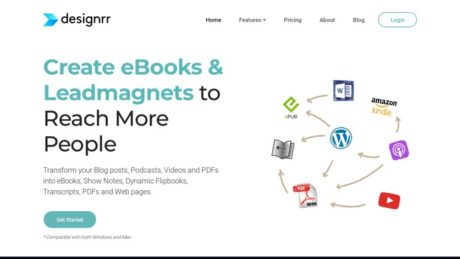
Upload any web page, MS Word, Video, Podcast or YouTube and it will create a stunning ebook and convert it to pdf, epub, Kindle or Flipbook. Quick and Easy to use. Full Training, 24x7 Support and Facebook Group Included.
Matej Kukucka
Matej Kukucka
Value
Cost
Score

Designrr Review: Easy Ebook & Lead Magnet Creator?

About

Designrr is an advanced content repurposing platform designed to help individuals and businesses create professional-quality eBooks, reports, flipbooks, and various digital documents in just minutes. With a focus on usability and automation, Designrr enables users to transform existing content — such as blog posts, web pages, podcasts, videos, and documents — into visually stunning, customizable eBooks and lead magnets, eliminating the need for complex design tools or technical expertise.

What is Designrr? Primary Purpose, Target Audience, and Problems Solved

Designrr is a content creation tool that streamlines the process of converting existing content into beautifully formatted eBooks, PDFs, lead magnets, and flipbooks. Its primary purpose is to save time and resources while empowering users to maximize the value of their content. Designrr’s intuitive platform targets marketers, coaches, small businesses, agencies, content creators, authors, and anyone looking to repurpose content for lead generation, authority building, or monetization. The software addresses common pain points such as the high cost of hiring designers, the technical complexity of traditional design tools, and the time-consuming nature of manual content formatting. By automating content import and design, Designrr enables users to publish and distribute digital assets quickly and efficiently.

Summary of Designrr: Usability, Features, and Competitive Advantages

Designrr stands out for its ease of use, extensive feature set, and versatility. Users can import content from a wide array of sources, including websites, Microsoft Word, Google Docs, Facebook, YouTube, podcasts, and PDFs. The platform offers an impressive library of customizable templates and integrates an AI-powered writing tool (Wordgenie) for content creation. Its drag-and-drop editor, built-in image library, and automated features like Table of Contents and page numbering make document creation accessible to beginners and efficient for professionals. Designrr’s unique selling points include one-click content import, seamless media repurposing (audio/video to text), and the ability to publish in multiple formats (PDF, ePub, Kindle, flipbook). Compared to competitors, Designrr eliminates the need for expensive design software and drastically reduces content production time. [Source]

Who is Designrr Best Suited For? Ideal User Groups and Use Cases

Designrr is designed for a diverse range of users:

  • Beginners & Solopreneurs: The platform’s intuitive interface enables individuals with no design experience to create professional eBooks and lead magnets.
  • Content Marketers & Agencies: Agencies and marketers can rapidly repurpose client content into branded assets, saving hundreds of hours annually.
  • Coaches, Course Creators, and Authors: Those who need to publish guides, workbooks, or educational materials will find the template library and AI writing tools especially valuable.
  • Podcasters & Video Creators: Designrr can transcribe podcasts, webinars, and YouTube videos, turning them into show notes, transcripts, or downloadable resources to increase audience engagement and reach.
  • Small Businesses: SMBs looking to generate leads, build authority, and grow their customer base through content marketing will benefit from the platform’s automation and flexibility.

Example use cases include creating a downloadable PDF from a blog series, transforming webinar recordings into eBooks for email marketing, or compiling social media posts into a branded report.

Primary Features of Designrr

Designrr offers a robust set of features designed to simplify and enhance digital publishing:

  • Content Import: Import from URLs, Word, Google Docs, Facebook, YouTube, podcasts, and PDFs.
  • Customizable Templates: Over 100 professionally designed templates, fully editable to match brand guidelines.
  • Drag-and-Drop Editor: Make visual changes to layouts, fonts, images, and colors without technical knowledge.
  • AI Content Generation: Wordgenie AI assists with writing and editing content directly within the platform.
  • Image Library & Editor: Access millions of copyright-free images and use the built-in editor for cropping, resizing, and enhancements.
  • Automated Table of Contents and Page Numbering: Instantly generate navigable, clickable TOCs and customized page numbers.
  • One-Click Publishing: Export to PDF, ePub, Kindle (mobi), and interactive flipbooks.
  • Commercial License: Create and sell unlimited eBooks to clients without royalty fees.
  • Distraction-Free Draft Editor: A minimalist workspace for writing or pasting in content before design begins.
  • Community & Support: Access to a 9,000+ member community, coaching sessions, and personalized training.

[Feature details]

Target Audience for Designrr

The platform is tailored for:

  • Marketers focused on lead generation and content upgrades
  • Coaches and consultants publishing branded materials
  • Small business owners seeking efficient digital publishing
  • Authors and course creators producing eBooks and guides
  • Agencies delivering branded content for clients
  • Podcasters and video creators expanding their content reach
  • Entrepreneurs building information product businesses

The ideal user is anyone who needs to transform existing content into high-quality digital assets with minimal effort or technical know-how.

Detailed Use Cases and Examples

Designrr excels in scenarios where content repurposing and rapid publishing are essential. For example, a marketing agency can import a client’s blog posts and website content, apply a branded template, and export a lead magnet PDF in under an hour. A coach might transcribe a recorded session and use Designrr’s AI tools to clean up the transcript and design an eBook for clients. Podcasters can instantly turn show transcripts into downloadable resources for audience engagement. Small businesses often use Designrr to create professional reports or whitepapers from existing documents, driving lead generation through gated content. Another common use case is for course creators who compile lesson notes, articles, and video scripts into a comprehensive study guide or workbook.

Pros of Designrr

Designrr provides significant advantages:

  • Speed and Automation: Instantly imports and formats content, drastically reducing project timelines.
  • Cost Savings: Eliminates the need for expensive designers and software licenses.
  • Beginner Friendly: No design or technical skills required, making it accessible to everyone.
  • Versatile Publishing: Supports multiple export formats, including PDF, ePub, Kindle, and flipbooks.
  • Rich Template Selection: Over 100 customizable templates for various industries and use cases.
  • AI Content Generation: Built-in AI helps with content creation and editing.
  • Strong Community and Support: Access to coaching, training, and peer support.
  • Commercial License Included: Create and sell digital products to clients without additional fees.
  • Scalable for Agencies: Designed to handle multiple projects and clients efficiently.

Reference: Official Designrr Features

Cons of Designrr

While Designrr offers extensive benefits, there are some considerations:

  • Template Limitations: Some users may find certain templates less customizable than advanced design software like Adobe InDesign.
  • Learning Curve for Advanced Features: While basic use is simple, mastering advanced customization might take time.
  • Occasional Formatting Issues: Imported content may require manual adjustments, particularly from heavily formatted or complex sources.
  • Limited Offline Functionality: As a cloud-based tool, an internet connection is required for access and editing.
  • Pricing Structure: Some advanced features may only be available in higher-tier plans.

For real user feedback, see Capterra Designrr Reviews.

Why Choose Designrr? Unique Advantages

Designrr’s unique proposition lies in its ability to democratize digital publishing. By merging AI-driven content creation, automated design, and multi-format publishing in a single platform, Designrr empowers users to extract maximum value from existing content. The commercial license makes it a strong choice for agencies and freelancers, while the ease of use appeals to entrepreneurs and SMBs looking to quickly launch content marketing campaigns. Its support for diverse media types — from blogs and documents to audio and video — allows organizations to reach broader audiences without technical barriers. The platform’s supportive community and ongoing training further ensure that users can continually improve and expand their digital publishing efforts with confidence.

For more information, visit the official feature page: https://designrr.io/ebook-creator/

Features

Reporting

Designrr does not provide dedicated reporting or analytics dashboards as part of its core feature set. There are no built-in modules for tracking user engagement, project performance, or content analytics. The platform is focused primarily on content creation and export, without key metrics or business intelligence features. Therefore, businesses seeking to track document usage or measure lead magnet effectiveness will need to rely on external tools, such as website analytics platforms, after publishing their materials.

Integrations

Designrr offers content import functionality from a range of sources, including Google Docs, Microsoft Word documents, PDFs, blog posts via URLs, YouTube, and other audio/video files for transcription. However, there is no evidence of native integrations with third-party marketing automation, CRM, or email marketing platforms. The platform does not provide built-in connectors to tools like Zapier, HubSpot, Mailchimp, or similar services. Its main enhancement to workflow is the ability to repurpose content from multiple formats, but automated integration with external services is not currently available.

Mobile Apps

Designrr does not offer dedicated mobile applications for iOS or Android platforms. The platform is web-based and is designed to be accessed through a desktop browser on both Mac and Windows operating systems. There is no mention of mobile-specific features, offline functionality, or app-based workflows. Users are expected to perform all creation, editing, and publishing tasks via the browser interface, which is optimized for desktop use cases.

Single Sign-On

Designrr does not support Single Sign-On (SSO) capabilities. There is no documentation or mention of compatibility with SSO providers such as Google Workspace, Microsoft Azure AD, Okta, or other identity management services. All user authentication is handled through Designrr’s own login system, and organizations cannot currently use SSO to streamline or secure user access.

Automation

Automation within Designrr is largely limited to content repurposing workflows. The platform automates the import and conversion of content from sources like blog posts, Word documents, Google Docs, PDFs, and media files into eBooks, PDFs, flipbooks, and transcripts. For example, users can automatically transcribe audio or video files, generate show notes from podcasts, and convert blog articles into formatted eBooks with minimal manual effort. While these features save significant time in content production and formatting, Designrr does not provide broader workflow automation or integration with external automation platforms.

Security

Designrr secures user data with SSL encryption and secure login procedures. All files and content are stored on secure servers, and the platform emphasizes the privacy and protection of user data. However, there is no explicit mention of compliance with security or privacy standards such as GDPR, SOC 2, or similar frameworks. While standard data protection measures are in place, businesses with strict compliance requirements should verify standards directly with the provider.

API

Designrr does not offer a public API for customization or integration. There is no available documentation or feature information indicating the existence of an API for developers. As a result, there are no official capabilities for programmatically automating tasks, integrating with other software, or customizing the platform beyond its built-in features.

Deployment

Designrr is offered exclusively as a cloud-based Software-as-a-Service (SaaS) solution. Users access the platform through a web browser; there are no options for on-premises deployment or private cloud hosting. The cloud model provides advantages such as instant access, automatic updates, and no local infrastructure requirements. However, organizations seeking to host Designrr on their own servers or requiring private deployment for compliance or security reasons will not find such options available.

Videos

Designrr.io Video Tutorials & Product Overviews

1. How To Make Money With an Ebook using Designrr Wordgenie (2025)

This video explains various ways to use Designrr.io to create ebooks quickly using AI, specifically the Word Genie feature. The creator demonstrates how to start with a niche, select sub-niches and audience, generate an outline, and automatically create content with AI. The interface is described as simple and similar to Canva, with options to import from Google Docs, use templates, or start from scratch. The video discusses ebook monetization strategies, like using ebooks as lead magnets or selling them on platforms like Gumroad. The presenter highlights the importance of realistic expectations—success with ebooks requires effort and strategy, not just tools or automation.

2. Top 10 Tips for the Design Editor | Designrr.io

This official Designrr.io video covers the top 10 tips for using the design editor. It demonstrates navigating and managing pages, duplicating or locking pages, and using the right-click menu for quick actions. It also covers text editing, global vs. local changes (such as fonts and headers), adjusting spacing for images, toggling headers and footers, inserting and managing images (including Unsplash integration), and using icons, shapes, and watermarks. The video provides actionable advice for improving workflow, customizing ebooks, and utilizing advanced features for a polished result.

Resources

Training

There is no information available regarding Designrr training resources such as webinars, courses, or guides on marketingplayer.com.

Wiki/Docs

There is no information available regarding documentation or a wiki for Designrr on marketingplayer.com.

Community

There is no information available about an active user community, forums, or groups for Designrr on marketingplayer.com.

Support

There is no information available regarding support options (email, phone, chat, response times, or hours) for Designrr on marketingplayer.com.

Pricing

Pricing Plans for designrr.io

designrr.io offers a range of subscription-based pricing plans tailored for different user needs, each with distinct features and support levels. All plans can be cancelled at any time, and there is no mention of a fully free plan or lifetime access on the official pricing page. A summary of the available plans is provided below:

Plan Monthly Price (USD) Main Features User(s) Transcription Hours Trial Available
Standard $29 100 Project Templates, 922 Google Fonts, Wordgenie AI Content creator, Unlimited eBooks, Unlimited copyright-free images, Page numbering, Table of contents, Import from Web/MS Word/Google Docs 1 7-day free trial
Pro $39 300+ Project Templates, 200+ Cover Designs, 922 Google Fonts, 3D cover image tool, Wordgenie PRO AI, Unlimited eBooks, Import from Web/MS Word/Google Docs/PDF, Export to Kindle/iBooks/ePub, Clone projects, Flipbook generator 1 7-day free trial
Premium $49 4 Transcription Hours/month, 200+ Project Templates, 200+ Cover Designs, 922 Google Fonts, 3D cover image tool, Wordgenie PRO AI, AI Image generator, Unlimited eBooks, Import from Web/MS Word/Google Docs/PDF, Export to Kindle/iBooks/ePub/HTML, Custom templates, Flipbook generator 1 4 7-day free trial
Business $99 8 Transcription Hours/month, 200+ Project Templates, 200+ Cover Designs, 922 Google Fonts, 3D cover image tool, Wordgenie PRO AI, AI Image generator, Unlimited eBooks, Import from Web/MS Word/Google Docs/PDF, Export to Kindle/iBooks/ePub/HTML, Custom templates, Flipbook generator 1 8 Contact sales
Agency Premium $249 25 Transcription Hours/month, 5+ users, Dedicated client interface, 200+ Project Templates, 200+ Cover Designs, 922 Google Fonts, Unlimited eBooks, Facebook group, Onboarding concierge, 24×7 support 5+ 25 Contact sales

For the complete and most current package details, visit the official pricing page.

Free Trial Availability

designrr.io offers a 7-day free trial for its Standard, Pro, and Premium plans. During the trial, users gain access to all the core features of their chosen plan, which includes the ability to create unlimited eBooks, explore the suite of templates, and utilize AI-powered content creation tools. To start a free trial, users simply select their preferred plan on the pricing page and click on the “Start Free 7 Day Trial” button. No information is provided about a free trial for the Business or Agency Premium plans; these require direct contact with the sales team.

The trial can be cancelled anytime within the 7-day period to avoid charges.

Product Demo Availability

While designrr.io does not list a scheduled live demo or one-on-one demo booking directly on its main site, it provides detailed video demonstrations and walkthroughs directly on its homepage and pricing page. These videos cover importing content from blogs, MS Word, Google Docs, podcasts, videos, and YouTube, as well as how to revise, customize, and publish eBooks and flipbooks using the platform.

To access these demo videos, simply visit the main designrr.io homepage. There you will find embedded demonstrations showing key workflows and features. No formal sign-up or appointment is necessary—these demos are openly accessible.

The videos typically cover: importing various content sources, using AI features, designing eBooks, exporting to various formats (PDF, ePub, Kindle, HTML), and leveraging flipbook and transcription features.

YouTube Demo Videos and Walkthroughs

For in-depth user experiences and practical guides, several comprehensive demo and tutorial videos are available on YouTube. These videos walk through the full process of creating and publishing eBooks, using Wordgenie, customizations, and more. Here are some recent and relevant walkthroughs:

These videos are user-generated but provide a clear look at how to use designrr.io’s main features and what users can expect in practice.

Reviews

Review Insights

Designrr has generated extensive feedback from users, as seen in over 1,200 reviews on Trustpilot, where the platform holds a 4.4 out of 5 rating. Users repeatedly praise Designrr for its user-friendly interface, efficiency, and the breadth of features tailored for writing and publishing books, ebooks, and other documents. For example, one recent reviewer wrote, “Designrr is a brilliant, practical and efficient AI application carefully designed to meet the needs of the writers who crave writing books.” Another user echoed similar sentiments, describing the platform as “Easy, Intuitive, powerful, versatile.” Many appreciate the time-saving aspects: “I am loving it so far; it is a tremendous help with writing my books, and it cuts down on a lot of my time.

New users also find the learning curve manageable and see potential in the product. As one reviewer put it, “I’m new to Designrr so still finding my way around the features but I can already see the huge potential with it. Having previously used Canva/ChatGPT, the Designrr platform takes matters to a whole new level.” Others highlight how Designrr enables them to publish and present their writing professionally: “I uploaded my eBook from Google docs, chose an elegant template, and the result was amazing, especially the flipbook, it’s really professional and elegant, increasing a lot the ebook value.

Designrr’s AI integration and design flexibility are also recognized, with users mentioning the helpful tutorials and the platform’s ability to streamline the content creation process. For writers who struggled to present their work, the platform has been described as transformative: “I have always been a writer at heart. I have written many pieces, but I did not know whether they would ever see the light of day. Designerr has helped me put beautiful covers to my stories and get them published.

Nevertheless, not all reviews are positive. Some users express dissatisfaction with billing practices or customer service. For instance, a recent reviewer reported, “This platform is close to a scam. Just purchased their $27 One Time Charge but instead added another $37 for an Ebook Course that I did not buy or opted to at all! I immediately sent a refund request…” There are also a handful of users who found the software’s learning curve steeper than expected or encountered issues with promised features.

Overall, the majority of feedback highlights Designrr’s strengths in ease of use, versatility, AI-powered features, and the value it provides to both beginners and experienced writers. Critical reviews mainly concern billing transparency and isolated technical or support concerns. For the most up-to-date and complete set of user experiences, visit the Trustpilot review page.

Customers

There is no publicly available information about notable companies or organizations that use Designrr software. The official Designrr website and third-party sources primarily highlight general user categories, such as marketers, coaches, podcast services, video creators, course creators, small businesses, and marketing agencies. The only specific customer referenced in available materials is Rob Stanley of morecustomersfaster.com, who provided a testimonial stating:
“We use Designrr everyday for getting more traffic & reach from our podcasts & videos. For us it’s the ‘Zapier’ of content.”

No detailed case studies or lists of well-known organizations leveraging Designrr in their business operations are published or discoverable at this time.

Designrr Alternatives

When considering alternatives to Designrr for eBook creation and digital publishing, several compelling options stand out, each catering to distinct user needs and preferences. AI Automateed offers a unique blend of AI-driven content creation and formatting, streamlining the process for authors and marketers who may lack advanced design skills or time. Its intuitive interface produces professional-looking, publication-ready eBooks with minimal effort, making it a suitable pick for individuals or small teams seeking rapid content generation. AI Automateed targets creators looking for automation and creative flexibility, though specific pricing details are typically available on request or through direct inquiry.

For those seeking a powerful and free alternative, Scribus is an open-source desktop publishing tool renowned for its robust layout and design features. It is well-suited for users with some design experience who require advanced control over their eBook’s appearance. Scribus supports professional publishing standards, including CMYK colors and PDF export, and benefits from a dynamic, community-driven development model. While it may not offer automated content generation, it excels in hands-on design, making it an excellent choice for authors and publishers who prioritize customization over convenience.

Another distinct option is FlippingBook, which focuses on transforming static PDFs into interactive, flip-style digital publications. Its standout feature is the realistic page-flip effect, enhancing engagement for readers and delivering an experience akin to reading a physical book. FlippingBook also allows users to enrich their documents with videos, links, and analytics, making it a preferred choice for marketers and businesses distributing brochures, catalogs, or magazines online. Pricing for FlippingBook starts at $25 per month, targeting professionals and organizations seeking interactive and trackable digital content.

For comprehensive eBook management, Calibre is a free, open-source tool that excels at organizing, converting, and editing eBooks across formats such as EPUB, MOBI, and PDF. While it doesn’t offer the design-driven approach of Designrr, Calibre’s strengths lie in library management and format compatibility, making it ideal for readers, educators, and self-publishers with extensive digital libraries or intricate conversion needs.

A user-friendly and highly versatile choice is Canva. Known for its drag-and-drop simplicity and extensive template library, Canva makes eBook creation accessible to beginners and professionals alike. It supports a wide range of digital content, from eBooks to presentations and social media graphics. Canva’s free plan offers substantial functionality, while its Pro tier, priced at $12.99 per month, unlocks expanded features, branding tools, and premium assets. Canva particularly appeals to small businesses, educators, and solo creators seeking speed and design flexibility without a steep learning curve.

For advanced users and professionals in need of sophisticated layout control, Adobe InDesign is the industry standard for publication design. It provides precision in typography, graphics integration, and multi-format export, and integrates seamlessly with other Adobe Creative Cloud tools. InDesign is best suited to graphic designers, publishers, and organizations managing complex or large-scale eBook projects. Pricing for Adobe InDesign typically starts at $20.99 per month as a standalone subscription, reflecting its position as a premium tool for professional-quality publications.

Website creators or entrepreneurs who want to combine their digital publishing efforts with a strong online presence may consider Squarespace. While primarily a website builder, Squarespace’s elegant templates and integrated content tools allow users to design visually striking eBooks, digital magazines, or portfolios, with simple web distribution and e-commerce integration. Squarespace is ideal for creatives, freelancers, and small businesses who value aesthetics and ease of use, with plans beginning at $16 per month.

For those focused on content marketing and collaboration, Contently provides a platform for strategizing, creating, and managing content, including eBooks, as part of broader campaigns. Its workflow and analytics tools assist medium to large businesses and agencies in producing high-quality, brand-aligned digital publications, though direct design tools are limited compared to Designrr.

Finally, Vellum caters specifically to book authors, offering an intuitive interface for creating beautifully formatted eBooks and print editions. It is particularly popular among fiction writers and independent publishers, with a focus on elegant typography, consistency, and ease of exporting to multiple publication formats. Vellum is available through a one-time purchase (starting at $199.99), making it a practical investment for prolific authors or small publishers who prioritize professional output and efficiency in book production.

Conclusion


After a thorough evaluation, Designrr emerges as a strong contender in the ebook creation and publishing software space, particularly for users who value streamlined workflows and AI-assisted content transformation. The platform is widely praised for its user-friendly interface and intuitive navigation, making it accessible even to those with minimal technical skills. Many reviewers, including those new to digital publishing, found onboarding and the learning curve relatively gentle, with helpful tutorials and a logical methodology guiding them from brainstorming to finished product. The core features—such as the ability to import from Google Docs, use of elegant templates, and output to various formats (including flipbooks, EPUB, and PDF)—consistently deliver on their promises. Designrr’s AI integration is especially valued for assisting with writing, editing, and design, allowing users to expedite the ebook creation process and elevate the professionalism of their output.

Among the key advantages, users highlight the software’s efficiency in repurposing existing content, the time saved through automation, and the versatility of the publishing options. The platform’s templates and design flexibility enable the creation of polished, market-ready ebooks without the steep learning curve associated with professional tools like InDesign. Its pricing is generally considered reasonable, with entry points around $27 for a one-time charge (though this sometimes leads to upsells or confusion about plan inclusions), and ongoing packages starting from $29 per month. Compared to alternatives such as Canva, Adobe InDesign, Scrivener, and Kindle Create, Designrr strikes a solid balance between ease of use, automation, and output quality, especially for entrepreneurs, marketers, and self-publishing authors seeking to quickly convert blogs, PDFs, or manuscripts into ebooks.

However, there are notable drawbacks. Some users have experienced billing issues, such as unexpected upsells or unclear refund policies, which occasionally lead to dissatisfaction. The creation of ebooks from scratch, as opposed to repurposing existing content, is somewhat limited compared to fully-featured publishing suites. While most reviews are positive, a minority describe challenges with customer support and express frustration over the lack of certain advanced design controls—issues that power users or those with highly specific formatting needs might encounter. Additionally, as with many SaaS platforms, some features are gated behind higher-priced tiers, which may disappoint budget-conscious users.

In terms of alternatives, Canva remains a strong choice for highly visual projects and beginners, while Adobe InDesign is unmatched for professional, complex layouts but is far more expensive and technically demanding. Scrivener is preferred for manuscript organization but lacks strong design tools, and Kindle Create is ideal if Amazon Kindle publishing is the only goal. For users prioritizing speed, automation, and content repurposing, Designrr stands out as a practical, cost-effective solution.

Taking into account its robust feature set, high usability for non-designers, versatile output options, generally fair pricing, and overwhelmingly positive user sentiment—tempered by occasional billing frustrations and the platform’s limitations for advanced custom design—I assign Designrr a score of 8.5 out of 10. This rating reflects its excellent value for the majority of self-publishers and marketers, but also acknowledges the room for improvement in billing transparency, customer support, and advanced features for power users.


FAQs

What features does Designrr offer?

Designrr provides a comprehensive suite of tools for creating, designing, and publishing eBooks, flipbooks, lead magnets, show notes, transcripts, and web pages. The platform supports importing content from a variety of sources including Google Docs, Word documents, blogs, websites, audio, video, YouTube files, and existing PDFs. Its AI engine, Wordgenie, can generate content or transform existing material. Features include unlimited use of copyright-free images, page numbering, table of contents generation, 3D cover creation, Kindle, ePub, and PDF export, flipbook generation, and the ability to create custom templates and clone projects. Transcription services and AI image generation are available in higher-tier plans. The interface is web-based and compatible with both Windows and Mac.

How much does Designrr cost?

Designrr offers several pricing tiers. The Standard plan starts at $29 per month and includes one user, 100 project templates, AI content creation, unlimited eBooks, and core importing features. The Pro plan is $39 per month, adds more templates and covers, advanced AI, PDF importing, Kindle and ePub export, project cloning, and flipbook generation. The Premium plan is $49 per month and includes transcription hours, AI image generation, and HTML export. The Business plan at $99 per month increases transcription hours and maintains all Premium features. Agency plans start at $249 per month, supporting multiple users, dedicated client interfaces, 24×7 support, onboarding concierge, and additional client management features. All plans offer a free 7-day trial and can be canceled at any time.

What integrations does Designrr support?

Designrr can import content from Google Docs, Word documents, blogs, websites, audio, video, YouTube, and PDFs. It is not limited to WordPress and works with platforms like Squarespace, Shopify, and HubSpot as long as the content URL is available. For output, Designrr supports exports to Kindle, iBooks, ePub, PDF, and provides HTML embed code for publishing to any website. There is no information available about direct integrations with third-party marketing or automation tools such as Zapier, Mailchimp, or CRM platforms.

What kind of support is available for Designrr users?

Designrr provides user support through its help center, offering guides, tutorials, and answers to common questions. Higher-tier Agency plans include 24×7 support and onboarding concierge services. Users can contact the support team directly through the help center or the contact links provided on the website. There are also community resources, such as a Facebook group for users.

How is Designrr deployed and accessed?

Designrr is a cloud-based software solution accessible via web browser, compatible with both Windows and Mac operating systems. There is no need to install any software locally, and updates are handled automatically on the platform. Users log in to their accounts online to access all features and projects from anywhere with an internet connection. There is no indication of a downloadable desktop application or mobile app as of now.

Matej Kukucka
Lector Matej Kukucka
Matej Kukucka is the CMO at Luigi’s Box, leading a team building top e-commerce tools. He also founded Marketing Player to help marketers grow in strategy and performance. With 10+ years in B2B SaaS, he shares valuable insights, practical tactics, and key lessons from scaling tech companies.
Comments (0) Add a comment
Add a comment

Your email address will not be published. Required fields are marked *.