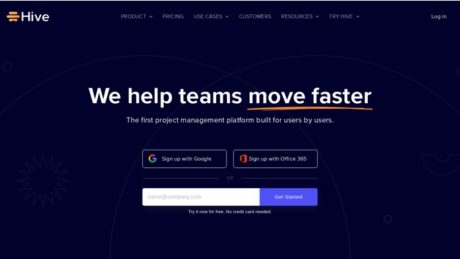
Hive Review: Agile Teamwork Made Easy?
About
Hive is a cloud-based project management and productivity platform trusted by fast-moving teams at organizations like Google, Electronic Arts, and Toyota. Designed to streamline collaboration, workflow management, and resource planning, Hive stands out as a centralized hub where teams of all sizes can plan, track, and deliver projects more efficiently. By combining intuitive usability with advanced features such as workflow automation, AI assistance, and in-depth analytics, Hive aims to solve the most common productivity challenges faced by modern businesses: scattered communication, lack of project visibility, and inefficient manual processes.
Summary
Hive’s primary purpose is to unify project management, team collaboration, and workflow automation within a single platform. The software provides a flexible, user-friendly environment where both beginners and professionals can quickly get started thanks to its engaging onboarding and extensive resource hub, Hive University. Users can manage tasks via multiple project views—including Kanban, Gantt, Timeline, Table, List, and Calendar—ensuring adaptability to different work styles and industries (official site).
What sets Hive apart is its focus on real-time collaboration, built-in proofing and approval workflows, and a robust suite of integrations with popular apps like Slack, Gmail, Zoom, Dropbox, and Microsoft Teams (UC Today review). For teams seeking advanced automation, the platform’s AI-powered features accelerate project delivery by automating repetitive tasks and providing actionable insights. Hive is especially recommended for companies that need both ease of use and deep project customization, making it an excellent fit for startups, SMBs, agencies, and enterprise-level organizations.
Primary Features
Hive’s feature set covers the full project lifecycle, offering tools for planning, execution, tracking, and post-project analysis:
1. Multiple Project Views: Teams can switch between Kanban, Gantt, Timeline, Table, List, and Calendar views for optimal project visualization. This flexibility accommodates various project methodologies and personal preferences, ensuring every team member can work their way (see views).
2. Task and Workflow Automation: Automate repetitive tasks, set up approval flows, and leverage AI to generate content or manage tickets, freeing up team members for more strategic work (Hive AI).
3. Built-in Collaboration Tools: Integrated chat, comments, file sharing, and collaborative notes keep all communication and documentation within the same platform, reducing reliance on external tools.
4. Time Tracking & Resource Management: Track time against tasks, manage team workload, and allocate resources efficiently to avoid bottlenecks and burnout.
5. Proofing & Approval Workflows: Streamline creative and document approvals with built-in proofing tools, allowing for feedback, version control, and audit trails.
6. Analytics & Reporting: Access real-time dashboards and exportable reports to monitor project progress, identify trends, and optimize team performance (UC Today).
7. Extensive Integrations: Seamlessly connect with tools such as Slack, Gmail, Zoom, Dropbox, HubSpot, and Microsoft Teams to centralize workflows.
8. Templates & Quick Start: Start projects in seconds using hundreds of pre-built templates tailored for marketing, operations, client management, product roadmaps, and more (Hive Templates).
9. Customization: Create custom fields, statuses, and labels to match unique business processes, supporting everything from simple task lists to complex enterprise workflows.
10. AI-Powered Features: Hive’s AI assistant is included in all paid plans, offering smart suggestions, automated task creation, and advanced analytics to supercharge productivity.
Target Audience
Hive is designed for a broad spectrum of users, from small startups to large enterprises. Its intuitive interface and flexible configuration suit:
Beginners: Startups and small teams who need an easy onboarding experience and ready-to-use templates to hit the ground running.
Professionals: Project managers and experienced teams who require advanced customization, analytics, and integration with existing business tools.
SMBs and Agencies: Companies seeking an all-in-one platform for client management, creative work, and campaign tracking.
Enterprises: Organizations with complex workflows, security needs, and a requirement for scalable project oversight.
Hive is ideal for teams in marketing, operations, product development, client services, and agencies looking for a collaborative, scalable workspace (Hive Use Cases).
Use Cases
1. Marketing Campaign Management: A marketing team uses Hive to plan, execute, and track campaigns. They leverage the Gantt view for scheduling, collaborate on creative assets with built-in proofing, and automate approval cycles. Templates like the Marketing Team Template accelerate project setup.
2. Client Project Kickoff for Agencies: An agency manages client onboarding and project delivery through customizable templates. All client communication, document sharing, and feedback are centralized in Hive, ensuring transparency and quick turnaround. The Client Project Template streamlines the kickoff process.
3. Product Roadmap Planning: A product team builds and shares a visual roadmap in Hive, mapping out releases, milestones, and dependencies. Cross-functional collaboration is facilitated using real-time updates and integrations with Slack and Gmail. The Product Roadmap Template helps teams stay aligned on priorities and timelines.
Pros of Hive
Hive excels in several areas that make it a top choice for project management:
Ease of Use: The platform is widely praised for its intuitive design, making it accessible for beginners while offering depth for power users. Engaging onboarding and resources like Hive University help new users get started quickly (read review).
Flexibility & Customization: With multiple project views and customizable workflows, Hive adapts to virtually any team or project type, supporting agile, waterfall, and hybrid methodologies.
Integrated Collaboration: Built-in chat, file sharing, and collaborative notes eliminate the need for multiple tools, promoting seamless communication and documentation.
Powerful Automation & AI: Automation of repetitive tasks and AI-driven insights save time and reduce manual errors, allowing teams to focus on strategic work.
Robust Integration Ecosystem: Native integrations with major business tools ensure Hive fits into existing tech stacks and workflows effortlessly.
Proofing and Approval Workflows: Streamlined creative reviews and document approvals enhance productivity for marketing, design, and content teams.
Scalability: Suitable for small teams and large enterprises alike, with options to add features and users as organizations grow.
Cons of Hive
While Hive offers a comprehensive solution, there are a few drawbacks to consider:
Cost for Advanced Features: Many advanced features, such as analytics, advanced automation, or resource management, require additional paid add-ons. This can make the total cost higher for teams needing the full suite of tools.
Limited Free Plan: The free tier is quite basic, with restrictions on storage (200MB) and missing advanced features, making it less suitable for growing teams or those with complex needs (UC Today).
Customer Support: Some users have reported that customer support can be slow to respond, which could impact teams needing rapid assistance.
Why Choose Hive
Hive stands out in the project management space for teams seeking a single, flexible platform that scales with their needs while simplifying daily workflows. Its balance of intuitive usability and powerful features makes it an excellent choice for organizations that value collaboration, automation, and visibility across projects. With unique capabilities like integrated proofing, multiple project views, and AI-powered productivity tools, Hive empowers teams to deliver projects faster and with greater transparency. Whether you’re a startup looking to organize your first campaigns or an enterprise managing complex cross-department initiatives, Hive’s adaptability, robust integration ecosystem, and deep customization options make it an investment in long-term productivity and growth.
For more information or to try Hive, visit the official Hive website or read detailed reviews on UC Today and The Digital Project Manager.
Features
Reporting
Hive’s reporting capabilities are centered on highly customizable Dashboards, acting as a real-time analytics hub for teams, individuals, organizations, and clients. These dashboards aggregate all relevant workspace, project, and task data, offering immediate, actionable insights that drive decision-making at every level.
Key metrics tracked include task and project progress (completion rates, overdue items, on-track initiatives), team and individual performance, goal and OKR tracking, resource allocation, and time tracking. Businesses can also incorporate custom data from integrations or manual inputs, tailoring dashboards to their specific needs.
Hive’s dashboards support a variety of visualizations such as tables, bar charts, progress graphs, and even custom widgets or external embeds, ensuring that both high-level summaries and granular data are easily accessible. Users can start with ready-made templates from the Template Library or build dashboards from scratch, stacking and arranging widgets to suit their reporting style.
Businesses leverage these features for executive-level overviews, operational management, team and personal performance tracking, client reporting, and company-wide alignment. Real-time updates, flexible filtering, and sharing/export options make it easy to keep all stakeholders informed and engaged. Role-based dashboards ensure that each audience—be it executives, team leaders, or clients—sees the most relevant data to their objectives.
The result is a reporting system that not only provides transparency and accountability but also empowers organizations to act proactively based on accurate, up-to-date information. Learn more about Reporting in Hive.
Integrations
Hive delivers a comprehensive integration ecosystem, with over 1,000 supported connections designed to centralize workplace tools and streamline workflows. Key native integrations include Google Drive, Google Calendar, Dropbox, OneDrive, Outlook Calendar, QuickBooks, Zoom, Microsoft Teams, Slack, Jira, GitHub, Box, Bynder, and more.
These integrations make it possible to attach and share files, synchronize calendars, generate invoices, initiate video calls, and bridge project management with development and communication tools—all from within Hive. For example, sharing a file from Google Drive or Dropbox, connecting Jira issues to Hive actions, or launching a Zoom meeting directly from a message thread can be done in just a few clicks.
Hive also supports importing projects and tasks from Trello, Asana, Basecamp, and Smartsheet, making onboarding seamless for organizations switching project management platforms. An open API and Zapier integration further extend Hive’s capabilities, letting users connect to thousands of other apps and automate custom workflows without coding.
The benefit is a fully centralized workspace that reduces context-switching, automates repetitive tasks, and aligns teams by consolidating communication, documentation, and project data. Explore Hive’s integrations.
Mobile Apps
Hive offers fully featured mobile apps for both Android and iOS platforms. These apps allow users to manage projects, communicate, and stay productive wherever they are.
Key features include direct syncing with the desktop app, the ability to create and manage tasks and projects on the go, handle direct and group chats, upload attachments, comment and tag teammates, and manage to-do lists. Real-time push notifications ensure users never miss an important update or deadline. Recent updates have enhanced chat performance, notification controls, and file upload capabilities.
Use cases for Hive’s mobile apps span remote team collaboration, fieldwork updates, on-the-go task management, and instant oversight of project milestones. Data is encrypted in transit, and the app collects only necessary personal info to support core functionality, in accordance with Hive’s privacy policy. Download Hive mobile apps.
Single Sign-On
Hive supports enterprise-grade Single Sign-On (SSO) for organizations seeking centralized and secure user authentication. SSO is available through the Enterprise Security package and integrates with leading identity providers such as Okta (OIDC and SAML 2.0), PingOne, Amazon IAM Identity Center, OneLogin, ADFS, Google Workspace, and Microsoft Azure Active Directory.
Only Identity Provider-initiated SSO flows are supported, meaning users log in through their company’s SSO portal rather than Hive’s login page. Just-In-Time user provisioning is enabled, allowing seamless onboarding as soon as a user logs in via SSO. All access is centrally managed by the organization’s admin through their chosen IDP.
This approach improves convenience—users need only one set of credentials—and significantly enhances security by centralizing authentication and enabling rapid deprovisioning. SSO is not available for external users or guests, and requires the Enterprise Security add-on. For more information, see the Hive SSO documentation.
Automation
Hive’s automation features are designed to minimize manual work and boost organizational efficiency. Automation capabilities include Hive Analytics for real-time reporting, automatic task labeling and grouping, workflow automation buttons, reusable project and action templates, AI-powered risk identification, and automated conversion of emails into actionable tasks.
For example, organizations can configure onboarding templates that generate all necessary tasks for new clients, automate recurring project checklists, and receive instant risk alerts when projects fall behind. Integration with Hive Analytics generates weekly status reports without manual effort, and the email-to-action feature ensures that customer requests or support tickets are never overlooked.
These automations reduce repetitive work, drive consistency through templates, centralize communications, and enable proactive management with real-time insights. Explore Hive automation.
Security
Security is a foundational focus for Hive, with measures spanning application, network, data, and physical layers. Hive is SOC 2 Type 2 certified and compliant with GDPR and CCPA, and hosts all data in ISO 27001-accredited facilities. User access is strictly controlled through validated access controls, progressive authentication, and audit logs. Workspaces are isolated, with expiring resource links and extensive user request tracking.
All data in transit is encrypted using SSL/TLS (128-bit or higher, with 256-bit SSL enforced), and data at rest is protected with 256-bit AES encryption. Firewalling, intrusion detection, network segmentation, and regular security audits ensure the platform remains resilient against threats. Automated malware scanning, password hashing with unique salts, and robust key management further safeguard user data.
Hive also supports customer requests for data management and portability, facilitating compliance with privacy regulations and data subject rights. Read more about Hive security.
API
Hive provides a powerful GraphQL API that enables organizations and developers to manage projects programmatically and integrate Hive with other platforms. The API supports project creation and management, schema integration, GitHub repository linking, alert and notification configuration, and standard CRUD operations.
With the API, users can automate project orchestration, manage schema versions, connect version control systems for DevOps workflows, and set up custom notifications to Slack or Microsoft Teams. There are some technical requirements, such as project type immutability and specific integration permissions, but the API is well-documented and allows for deep customization.
The API makes it possible to extend Hive’s utility far beyond the native application, especially for organizations with complex integration or automation needs. See the Hive API documentation.
Deployment
Hive is exclusively a cloud-based Software-as-a-Service (SaaS) solution. All functionality, data storage, and collaboration are delivered via Hive’s secure web platform, accessible through any modern browser. There are no on-premises or hybrid deployment models available—organizations simply sign up and start using Hive without local installation or infrastructure.
The cloud-only approach offers significant advantages, including immediate access, automatic updates, remote collaboration flexibility, scalability, and managed security/compliance. However, it may not suit organizations with strict data residency or sovereignty requirements, or those requiring on-premises control. All data is stored in Hive’s managed data centers, and a stable internet connection is required for access.
Videos
Hive.com Video Tutorials and Product Overviews
1. Hive Project Management Tutorial | Hive Software Overview
This video provides an in-depth tutorial and overview of the Hive project management platform, demonstrating how to create projects, assign tasks, use timelines, and collaborate with team members. The walkthrough covers key features such as Kanban boards, Gantt charts, time tracking, and integrations with other productivity tools.
2. Hive Project Management Software Tutorial – Full Demo of Features
This video delivers a complete demonstration of Hive’s features, including project setup, task management, workflow automation, and reporting tools. It is aimed at new and prospective users who want to see how Hive can be used to streamline team collaboration and project delivery.
Resources
Training
Hive provides several training resources for new and advanced users. “Hive University” functions as a formal learning platform where users can become Hive experts by following structured courses and lessons. Additionally, Hive offers webinars focused on product features and updates, and there is an on-demand demo available for those seeking a guided walkthrough of the software. All of these resources are designed to help users maximize their effectiveness with Hive’s suite of tools and features. For more information or to access these resources, visit Hive University, webinars, and the on-demand demo.
Wiki/Docs
Comprehensive documentation is available in the form of a knowledge base and FAQ articles. These resources cover frequently asked questions, troubleshooting steps, and detailed guides on how to use Hive’s features and integrations. Users can reference these materials to address common issues and to explore the capabilities of the platform. The documentation is continually updated alongside product updates. Access to this knowledge base can be found at the official Hive documentation resource.
Community
Hive maintains an active user community where members can discuss topics, share solutions, and answer questions related to their experience with the platform. The primary online community exists on Facebook in the form of the “Hive Community” group. This forum is open to all users and is a place to exchange use cases, tips, and best practices. Engagement levels are high, with both peer-to-peer support and occasional input from Hive team members. For more information on joining or participating in the community, see the Hive user community resource.
Support
Hive offers several types of support for its users. There is a dedicated help center where users can submit tickets for technical issues or product questions. Professional services are also available for teams needing hands-on assistance, onboarding, or workflow optimization. The company provides direct support channels, which may include email and in-platform messaging; however, there is no publicly posted information about response times or specific support hours. If users are seeking specialized help or enhanced service agreements, Hive also works through its partner network and professional services offerings. For all support options, visit Hive support services.
Pricing
Pricing Plans and Features Table
| Plan Name | Pricing | Main Features |
|---|---|---|
| Free | $0 (free forever) | AI project planner and content generator (free), 200MB storage, up to 10 workspace members, unlimited tasks, unlimited collaborative notes, multiple work views, email integration (Hive Mail), native chat messaging. |
| Starter | Pricing not shown on page (per user, per month) | Everything in Free, unlimited storage, up to 10 workspace members, up to 10 projects, Gantt view, cloud storage integrations, in-app calendar (Google/Outlook), Zoom and Slack integration, AI Assistant features. |
| Teams | Pricing not shown on page (per user, per month) | Everything in Starter, unlimited workspace members, flexible add-ons (extra), shareable forms, time tracking, portfolios (multiple projects/tasks/timelines), unlimited custom workflows, team sharing, custom fields/labels/statuses. |
| Enterprise | Contact sales | Everything in Teams, all add-ons included (resourcing, proofing), enhanced security and permission controls, unlimited onboarding, dedicated Customer Success Manager (user count dependent), enterprise API, access to professional services. |
Free Trial Details
The tool name offers a 14-day free trial for all its plans. No credit card is required to start the trial. During the trial, users have access to the full suite of features available in the paid plans, allowing teams to thoroughly evaluate the platform. Users can sign up for the free trial directly from the tool’s pricing or main website by clicking the “Get Started” button associated with any plan. After the trial period, users can choose to upgrade to a paid plan or continue with the Free plan if it meets their needs.
Product Demo Information
The tool name provides live demo sessions and resources to help prospective users learn about the platform. Demos typically cover core platform navigation, project setup, task management, collaboration features, integrations (such as Slack, Zoom, and cloud storage), and automation capabilities through the AI Assistant. To access a live demo or request a personalized walkthrough, users can visit the “Contact Sales” page on the tool’s website and submit a request for a demo session or further information.
Official and Reputable YouTube Demo Videos
Getting Started with Hive | Best Project Management Software: https://www.youtube.com/watch?v=yLl8RMLmwMs
Best Project Management Software – Hive Intro: https://www.youtube.com/watch?v=9CQpAi7Ctmw
Hive In-Depth Review | The Easiest Project Management Software: https://www.youtube.com/watch?v=lXsFIhzkq1o
Unavailable Information
Specific per-user pricing for the Starter and Teams plans is not shown directly on the pricing page at this time. There is no mention of a lifetime deal or plan currently available. If such information becomes available, it may be listed on the tool’s official website or by contacting their sales team directly.
Reviews
Review Insights
For Hive project management software, user reviews are primarily found on G2 and Capterra. Unfortunately, full review content from these portals could not be extracted directly, but both platforms feature recent and verified user feedback.
G2 (Hive on G2):
Reviewers on G2 praise Hive for its highly customizable interface, efficient workflow organization, and reporting capabilities. Positive experiences often mention ease of use, collaboration features, and the ability to handle complex projects with multiple team members. Some users highlight the implementation of templates and integration with email as standout features. Negative feedback tends to focus on occasional glitches, a learning curve for advanced features, and requests for more robust integrations with third-party tools.
Example G2 review snippets:
I like that it offers a highly customizable interface, enabling teams to organize tasks and manage workflow effectively. Easy to download and sort for reporting.
I like the ability to link emails to tickets. I love that there are templates and notes that you can use. The ability to make projects and move tickets from one project to another is very useful.
Capterra (Hive on Capterra):
Users on Capterra frequently mention Hive’s intuitive and visually appealing interface, as well as its Gantt-chart option for project setup. The platform is considered affordable and delivers good value for money, with seamless integration options. Positive reviews cite effective team communication and project visualization tools. Some users, however, mention the need for more customization options and occasional performance lags.
Example Capterra review snippets:
The software is really easy to use – and very friendly to the eyes and mind. I love using the Gantt-chart option when setting up projects.
Reviewers generally appreciate Hive for its affordable pricing plans and good value for money, noting its low monthly fee as a cost-effective solution for teams.
Trustpilot:
Trustpilot does not have reviews for Hive project management software. The reviews found are for unrelated products, such as smart home systems or other companies with similar names.
Sources:
Hive on G2
Hive on Capterra
Trustpilot (not relevant to Hive project management software)
For the most up-to-date and detailed user experiences, please visit the review portals directly.
Customers
Hive software is leveraged by a diverse range of companies across industries, with a number of publicized case studies and testimonials available directly from the official Hive case studies page. Below is a detailed summary of notable organizations and how they utilize Hive in their operations, including direct links to official case studies and success stories for further verification.
Arden Grange: After shifting its business strategy, Arden Grange sought to expand into direct-to-consumer (D2C) sales. By partnering with Hive, the company was able to double its D2C business in just five months while maintaining a 99% punctuality rate for order fulfillment.
Official case study
Jander: Jander switched to Hive during Q4 and achieved their best Black Friday results to date. Hive enabled Jander to optimize logistics and scale operations during peak demand.
Official case study
Magicholz: Magicholz turned to Hive to manage their 650+ SKUs and expand into the UK market. Hive played a pivotal role in supporting Magicholz’s 210% sales surge and international expansion.
Official case study
ADONiS: ADONiS went live with Hive in just one week, saving 20% on shipping costs across the UK and EU. With Hive, they efficiently manage D2C, B2B, and batch tracking.
Official case study
Hydraid: Hydraid uses Hive to sell both D2C and B2B across three markets, including the setup of logistics for Switzerland due to a strategic partnership.
Official case study
Superlativa: Superlativa reports saving over five hours every week due to increased operational efficiency enabled by Hive.
Official case study
Crack List: With Hive’s Pan-EU program, Crack List reduced delivery fees by 60% and delivery times by two days, facilitating their expansion into Germany and Italy.
Official case study
Balance Nutrition: The Italian brand Balance Nutrition improved customer satisfaction and reduced returns and shipping costs through Hive’s integrated app.
Official case study
vetevo: vetevo manages personalized kit assembly with Hive, saving seven hours per month in customer support time.
Official case study
mybacs: mybacs improved fulfillment speeds by 40%, halved flyer costs, and reclaimed significant operations and support time after implementing Hive.
Official case study
Dreamin 101: Dreamin 101 grew 3X in five months, successfully managing record order volumes through Black Friday and beyond with Hive.
Official case study
Holy: Holy achieved 2-day delivery to France and up to 25.5% cost savings per order using Hive’s pan-EU logistics solution.
Official case study
Ela Mo: Ela Mo streamlined fulfillment and freight forwarding from a single source with Hive, benefiting from time and resource savings at every stage of e-commerce operations.
Official case study
All case studies and testimonials referenced above can be directly accessed via Hive’s official case study page. As of the time of writing, these are the most notable public examples of companies leveraging Hive software in their operations, spanning a variety of industries and business models.
Hive Alternatives
When considering alternatives to Hive for project management, leading options include Asana, Trello, Monday.com, and ClickUp. Each offers unique strengths and is tailored to different team sizes, workflows, and budgets. Below, we provide a concise comparison of each, referencing recent independent reviews and official resources. You’ll also find recent, in-depth comparison articles for further reading.
Asana offers task and project tracking, timelines, workflow automation, reporting dashboards, and integrations with Slack, Google Drive, and more. It’s known for its clean interface and flexibility in team collaboration. Pricing starts free for basic use (up to 15 users), with Premium at $10.99/user/month and Business at $24.99/user/month (current pricing). Asana is ideal for SMBs to enterprises seeking robust project tracking and collaboration, especially for teams managing complex workflows. Read a 2024 review of Asana alternatives, including Hive.
Trello is built around a Kanban-board style interface, offering easy-to-use boards, lists, and cards for organizing tasks. It supports basic automations, calendar views, and integrations (“Power-Ups”). Trello is free for unlimited users with up to 10 boards, with paid plans starting at $5/user/month (current pricing). Trello is best suited for small teams, startups, or individuals who value simplicity and visual task management for straightforward, low-complexity projects. See an in-depth 2024 comparison featuring Trello.
Monday.com offers highly customizable workflows, over 10 project views (including Gantt, Kanban, and Timeline), automation, and extensive integrations. It’s designed for broad use cases beyond project management, such as CRM and marketing. Pricing is free for up to 2 users; Basic from $9/seat/month; Standard from $12/seat/month; Pro from $19/seat/month (current pricing). Monday.com is best for medium to large businesses or teams needing highly customizable, scalable workflow solutions. See a 2024 head-to-head review.
ClickUp provides multitiered task management, agile tools (including sprint management), goal tracking, docs, whiteboards, and extensive customization. It has built-in time tracking and resource management. ClickUp’s free tier covers personal use, with paid plans from $7/user/month (current pricing). ClickUp is designed for teams of all sizes, especially those managing complex or agile workflows, or requiring a highly adaptable toolset. Read a comprehensive 2024 comparison.
Hive is known for its flexible project views (Kanban, Gantt, table, calendar), built-in messaging, time tracking, automation, proofing, and analytics. It offers deep integrations and advanced templates. Hive’s Teams plan starts at $12/user/month and an Enterprise option is available (current pricing). Hive is ideal for small to large teams valuing all-in-one project management and native collaboration tools, including creative and operations teams. See how Hive compares to Asana and others.
For further reading, check out these up-to-date, in-depth comparisons:
YouTube Demo Videos
Hive Project Management Software Demo & Review (2023)
Hive Project Management Full Walkthrough & Review (2024)
Conclusion
Hive stands out as a robust project management and collaboration platform that delivers a well-rounded suite of features aimed at enhancing productivity and streamlining workflows for teams of all sizes. Users benefit from a wide array of project views, including Kanban, Gantt, and chart options, which cater to diverse project management styles. Built-in proofing, approval workflows, and instant messaging further support seamless collaboration, while integrations with popular tools such as Slack, Gmail, Dropbox, HubSpot, and Microsoft Teams ensure that Hive fits well within existing tech stacks.
One of Hive’s most compelling strengths lies in its usability. The onboarding process is intuitive and engaging, supported by resources like Hive University that help new users quickly get up to speed. The platform’s interface is straightforward, making it accessible even for those new to project management tools. Furthermore, Hive’s in-depth analytics and reporting provide valuable insights into team performance and project progress, empowering managers to make data-driven decisions.
However, there are notable drawbacks to consider. While Hive offers a free plan, it is quite limited, providing only up to 10 users, 200MB of storage, and basic AI features. To unlock essential functionalities such as unlimited workflows, advanced analytics, and integrations, teams must upgrade to paid plans, which can quickly become expensive—especially when factoring in the cost of add-ons like time tracking, resourcing, and advanced security. Additionally, some users have reported slower customer support response times, which could be a concern for organizations that require immediate assistance.
Pricing for Hive starts at $5 per user per month for the Starter plan, which includes unlimited storage and integration with several collaborative tools. The Teams plan, at $12 per user per month, offers the best value for those needing more advanced features and flexibility. For organizations with more complex needs, Enterprise plans provide additional security, onboarding support, and customization at a custom price point. However, extra features such as analytics, time sheets, and automations are not always included and may require further investment.
When compared to alternatives like Asana, Trello, and ClickUp, Hive’s pricing is competitive at the entry level but can surpass competitors when add-ons are required. Tools like ClickUp and Asana may offer more generous free tiers or include more features in their standard plans, making them attractive for budget-conscious teams. Nevertheless, Hive’s blend of ease-of-use, integrations, and automation capabilities positions it as a strong contender for organizations prioritizing flexibility and collaboration.
Overall, Hive earns a rating of 8 out of 10. Its extensive feature set, user-friendly design, and integration ecosystem make it a powerful platform for teams seeking to improve productivity and project visibility. The primary reasons for not scoring higher are the quickly escalating costs as features are added and the occasional lag in customer support. For teams willing to invest in a scalable, intuitive tool—particularly those that value customization and analytics—Hive is a solid choice, though organizations with tighter budgets or simpler needs may wish to explore alternatives first.
FAQs
What are the core features of Hive software?
Hive offers an all-in-one project management platform designed to help teams manage projects, tasks, approvals, billing, and more from a single location. Key features include robust project and task management, customizable dashboards for tracking key information, real-time goal tracking and reporting, integrated team collaboration tools (such as chat and email), and powerful workflow automation. Hive also includes AI-powered tools, time tracking, proofing and approvals, forms for feedback and project intake, and comprehensive resource management. The platform aims to reduce the need for switching between multiple tools by centralizing your team’s workflows.
How much does Hive cost?
Hive provides a range of plans to fit different team needs. There is a Free plan that is best for light project management and is free forever. This plan includes up to 10 workspace members, unlimited tasks, AI-powered project planner and content generator, 200MB of storage, collaborative notes, multiple project views, email integration, and native chat messaging. For more advanced needs and larger teams, Hive offers paid plans, but specific pricing for these is not provided on the main pricing page—users are encouraged to contact sales or start a free trial for more information. All plans allow you to get started for free with no credit card required.
Which tools and platforms does Hive integrate with?
Hive supports over 1,000 integrations to bring information from your favorite tools into one centralized dashboard. Native integrations include Google Drive (for file attachments and sharing), Google Calendar (to view Hive actions in your calendar), Dropbox (for file management), QuickBooks (for invoicing directly from Hive), Gmail (for email integration), Slack (for communication), and many more. Hive also provides an open API for custom integrations, enabling teams to further connect their workflows.
What kind of support is available to Hive users?
While Hive offers contact options for sales and demo requests, the website does not provide detailed, publicly listed information about ongoing technical or customer support channels (such as dedicated support hours, helpdesk, or live chat) within the primary pages. Users interested in support options are encouraged to reach out through the contact forms on the Hive website for more details.
How is Hive deployed, and is it cloud-based?
Hive is a cloud-based project management platform. All features, including project management, collaboration, and integrations, are accessible via a web browser, allowing teams to work from anywhere without the need for local installations or on-premise infrastructure. No specific details about on-premise deployment options are available, indicating Hive is primarily offered as a Software-as-a-Service (SaaS) solution.
Does Hive offer AI-powered features?
Yes, Hive includes AI-powered features in all plans, including the free tier. The AI project planner and content generator are designed to accelerate project planning and content creation workflows, helping teams work more efficiently.
Can I use Hive for free?
Yes, Hive offers a free plan that is available forever. This plan is suitable for light project management needs and includes many core features, such as unlimited tasks, up to 10 workspace members, AI tools, collaborative notes, and integration options.
Is there information on on-premise deployment or self-hosting?
There is no information available about on-premise deployment or self-hosting options for Hive. All evidence indicates Hive is a cloud-based solution.
How do I contact Hive for sales or further inquiries?
You can contact Hive’s sales team or request a demo directly through the Hive website. The Contact Sales page provides forms for reaching out to the team for more details about pricing, enterprise features, or personalized demonstrations.
Does Hive offer mobile apps?
There is no information available on the main pages regarding the availability of mobile apps for Hive. For the most current information, it is recommended to contact Hive directly or check their help documentation.
Your email address will not be published. Required fields are marked *.