Teachable Review: Best Place to Host & Sell Courses?
About
Teachable has become a leader in the online course and coaching platform space, helping creators, entrepreneurs, and educators worldwide deliver engaging digital learning experiences. As the demand for digital education and knowledge commerce grows, understanding what Teachable offers and how it stands apart is crucial for anyone considering launching or scaling an online course business.
What is Teachable? Primary Purpose, Target Audience, and Problems Solved
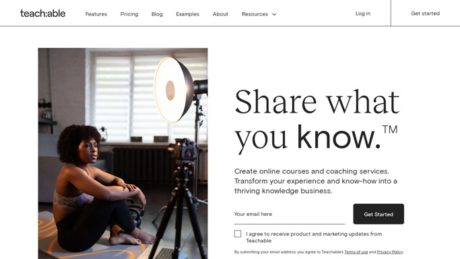
Teachable is a cloud-based learning management system (LMS) designed to allow individuals and organizations to create, market, and sell online courses and coaching services with minimal technical expertise. Its primary purpose is to streamline the process of course creation and delivery by providing all the essential tools in one platform, eliminating the need for separate hosting, video management, payment processing, and website building solutions. Teachable is targeted at creators, solopreneurs, coaches, small to medium-sized businesses (SMBs), and educators who want to monetize their expertise by selling digital courses or coaching programs. The platform addresses common problems such as technical complexity, limited monetization tools, lack of student engagement features, and the overhead of managing multiple software solutions by offering an all-in-one, user-friendly environment.
Teachable Overview: Usability, Features, and Competitive Advantages
Teachable stands out for its intuitive interface and ease of use, making it accessible even for beginners who have little to no experience with web development or course design. The platform provides drag-and-drop course builders, customizable sales pages, and integrated payment options, allowing users to quickly launch and manage their course businesses. In terms of features, Teachable offers multimedia content support, quizzes, drip scheduling, certificates, affiliate management, analytics, and a free iOS app for learners. A key reason to choose Teachable over competitors is its focus on simplicity and automation—it handles payments (including taxes and VAT), automates author and affiliate payouts, and provides robust customer support. Its unique selling points include seamless course and coaching program creation on one platform, flexibility in pricing models (one-time, subscription, payment plans), and a strong track record in the online learning industry. Standout features such as integrated coaching, flexible monetization, and a marketplace for creators distinguish Teachable from other LMS options.
Who Teachable is Best Suited For
Teachable is best suited for a wide range of users, from absolute beginners looking to launch their first online course to established professionals and SMBs aiming to scale their knowledge businesses. Beginners appreciate Teachable’s no-code setup and guided onboarding, while professionals benefit from advanced monetization, analytics, and integration options. SMBs and organizations use Teachable to deliver employee training, external certification, or branded educational programs. The platform is ideal for subject matter experts, coaches, authors, and entrepreneurs who want to monetize knowledge in the form of courses, coaching services, mini-courses, or downloadable resources.
Use Cases Where Teachable Excels
Use cases for Teachable include launching comprehensive online courses in a variety of subjects (from business and marketing to art and wellness), delivering live or recorded coaching sessions, building membership sites with recurring revenue, and creating branded learning portals for organizations. Teachable excels when used for cohort-based courses, evergreen self-paced learning, multi-instructor schools, and as a home for digital downloads and resource libraries. It is also effective for running workshops and masterclasses, offering flexible payment structures (subscriptions, bundles, and one-time fees), and managing affiliate programs to scale reach.
Primary Features
Teachable’s primary features include a drag-and-drop course builder supporting multimedia content (video, audio, PDF, text), customizable sales and landing pages, integrated payment processing in 130+ currencies, automated tax and VAT handling, affiliate management, quizzes and course completion certificates, student analytics and reporting, a native mobile app for learners, drip content scheduling, multi-admin and author support, and integrations with third-party marketing tools such as Zapier and email service providers. The platform also offers built-in coaching functionality, allowing creators to sell live or scheduled coaching sessions alongside courses.
Overview of the Target Audience
The target audience for Teachable spans independent creators (such as coaches, trainers, authors, and consultants), small business owners, educational organizations, and professionals looking to diversify income streams through digital products. The platform specifically appeals to those seeking a low-technical-barrier, scalable solution for knowledge commerce. It is popular among those who value hands-off administration, integrated payment and tax management, and the ability to focus on content rather than backend logistics.
Detailed Use Cases
Detailed use cases include: A fitness coach launching a flagship video course with upsell coaching calls and downloadable nutrition plans; a business consultant hosting a membership site with monthly live workshops and guest instructors; a non-profit creating certification programs for external partners; a creative professional selling mini-courses and resource bundles; a teacher running summer camps or bootcamps for students worldwide with drip-released content and live Q&A. These scenarios show Teachable’s strength in supporting diverse content types, monetization models, and learner engagement strategies.
Pros of Teachable
Teachable offers exceptional ease of use and fast setup, making it accessible for beginners and non-technical users. Its all-in-one solution covers hosting, course creation, marketing, and payments, reducing the need for multiple tools. The platform provides robust monetization options, including subscriptions, payment plans, one-time purchases, and affiliate marketing. Automated payout and tax/VAT handling save time and administrative overhead. The mobile app enhances learner convenience, while analytics and reporting tools support data-driven growth. Flexible course and coaching management support a wide range of business models, and customer support is highly rated. Additionally, Teachable’s marketplace and community resources help users succeed in course marketing and delivery.
Cons of Teachable
However, Teachable has some limitations. Its site-building capabilities are less flexible compared to dedicated website builders, limiting deep customization for advanced users. White-labelling is only partial, so some platform branding may be visible. Users cannot use custom payment gateways, which can be restrictive for certain businesses. There is a limit to the number of products or courses on lower-tier plans, and advanced marketing automation requires external integrations. Some enterprise-grade features, such as SCORM support or advanced gamification, are absent, which may be a drawback for large organizations with complex LMS needs.
Why Choose Teachable?
Teachable is an ideal choice for creators and businesses seeking a reliable, user-friendly platform to launch and scale their online courses and coaching services. Its streamlined setup, comprehensive feature set, and automated administration make it easy to focus on content and student engagement rather than technology and logistics. The platform’s flexibility in pricing, support for multiple content types, and integrated payment management empower users to monetize effectively and globally. With a strong reputation, active support, and continual feature updates, Teachable remains a top solution for anyone looking to turn knowledge into a sustainable business. For more details and hands-on insights, you can explore this in-depth review of Teachable and feature breakdown.
Features
Reporting
Teachable offers advanced, data-driven reporting tools designed to give creators detailed insights into both student engagement and business performance. The reporting suite includes comprehensive course analytics, allowing educators to track student progress, lesson completion rates, quiz scores, and engagement levels. These analytics enable the identification of students who may need additional support, as well as high achievers and patterns in content consumption. The platform’s enhanced sales analytics provide detailed breakdowns of earnings, fees, and payouts, as well as visualizations of monthly recurring revenue (MRR), student churn, and failed payments. Businesses can analyze purchase behaviors, optimize sales strategies for increased lifetime value, and improve subscription retention. Reports can be exported as CSV files for further analysis. These features are available on Professional and Business plans, with the sales analytics dashboard rolling out for paid plans through October 2024.
Integrations
Teachable supports a wide range of integrations through its App Hub and public API, making it possible for creators to connect their school with numerous third-party tools. Native integrations include marketing and automation platforms such as Zapier, Make (formerly Integromat), ConvertKit, Mailchimp, Google Analytics, and Meta Pixel. Payment processing is handled via Stripe and PayPal integrations, ensuring easy and secure transactions. Integrations with email marketing tools allow for automated student communications, onboarding, and nurturing sequences. Through Zapier and Make, creators can automate workflows such as enrolling students in external systems, updating CRMs, and syncing data with spreadsheets or analytics tools. These integrations reduce manual work, streamline business operations, and enable creators to build custom workflows tailored to their unique needs.
Mobile Apps
Teachable provides a robust, dedicated mobile app for students, available on iOS devices (iPhones and iPads running iOS 16.0 or later). The app is included free with all Teachable plans. Key features include offline lesson viewing, interactive and drip content support, streamlined account login, and the ability to access all purchased content from a single account. The platform offers a seamless experience, allowing students to switch between devices and pick up their learning where they left off. The mobile app supports lesson reminders via push notifications, dark mode, lock screen video controls, AirPlay for larger screen viewing, open-ended assessments, downloadable resources, and custom code blocks. Security features include screenshot prevention and one-time-password (OTP) logins. There is currently no Android app, but users are encouraged to submit requests via the public roadmap. The app is designed to maximize engagement, with metrics showing students who use the mobile app are significantly more likely to complete lessons and return to the platform.
Single Sign-On (SSO)
Teachable supports Google Single Sign-On (SSO) for school login. School owners on the Basic plan and above can enable Google SSO, allowing students and team members to log in using their Google credentials. This streamlines the authentication process, reduces password fatigue, and enhances security by leveraging Google’s authentication infrastructure. SSO minimizes friction for users, making it easier to access content and reducing the likelihood of account lockouts or forgotten passwords. As of 2024, SSO support is centered on Google; support for other SSO providers is not documented.
Automation
Automation is a core part of Teachable’s offering, facilitated by its public API and integrations with automation tools like Zapier and Make. Creators can automate repetitive tasks such as enrolling students in courses, sending onboarding or progress emails, updating mailing lists, and syncing sales or student data with other business tools. For example, when a student purchases a course, an automated workflow can add them to an email sequence, enroll them in other platforms, or trigger a notification to the creator. The API allows for deeper automation, such as real-time data sharing with CRMs, automating course updates, and integrating Teachable with custom apps or business dashboards. These automation features save time, reduce manual errors, and allow creators to focus on content and student engagement.
Security
Teachable employs multiple security measures to protect user data and content. The platform offers secure one-time-password (OTP) logins, screenshot prevention in the mobile app to deter content piracy, and HTTPS encryption for data transmission. Teachable’s checkout pages include cookie consent banners to comply with global privacy regulations and provide transparency on data usage. The company is committed to maintaining student and creator privacy and regularly updates its infrastructure for stability and security. As of June 2024, there is mention of compliance with global privacy laws such as GDPR, particularly in relation to cookie consent and data transparency, but explicit SOC 2 or other specific certifications are not documented publicly.
API
Teachable offers a public API for creators on Pro and Business plans, enabling programmatic access to core platform data and functions. The API allows for data sharing with external tools, workflow automation, and the development of custom applications. With the API, creators can integrate Teachable data into external sales tracking tools, automate student enrollments and communications, and display courses on custom websites with real-time updates. The API supports advanced user pagination, making it suitable for schools with large user bases, and is documented for developers seeking to extend or customize their Teachable environment.
Deployment
Teachable is a fully cloud-based, software-as-a-service (SaaS) platform. There are no on-premises deployment options; all course creation, delivery, management, and analytics are handled via Teachable’s managed cloud environment. This approach provides several advantages, including instant updates, reduced IT overhead, automatic backups, and high scalability. Creators and students can access the platform from anywhere with an internet connection, and mobile learning is supported through the iOS app. The main limitation of this deployment model is the lack of self-hosting or direct server control, which may be a consideration for organizations with strict data sovereignty or customization requirements.
Videos
Teachable Video Tutorials and Product Overviews
1. Teachable Tutorial for Beginners (2024)
This video is a comprehensive beginner’s guide to Teachable. It covers how to set up an account, create and design your first online course, upload your content (videos, documents, quizzes), customize the look and feel, and navigate the dashboard. The tutorial also walks through payment options, pricing your course, and marketing tools available within Teachable.
2. How to Use Teachable to Create & Sell Online Courses (Step-by-Step)
This video provides a step-by-step walkthrough of using Teachable to create and sell online courses. It explains the platform’s main features, such as curriculum building, adding multimedia lessons, setting up sales pages, managing students, and integrating email marketing. The host also gives tips for maximizing course sales and leveraging Teachable’s analytics.
Resources
Training
At this time, there is no information available on marketingplayer.com regarding training resources for Teachable, such as webinars, courses, or guides.
Wiki/Docs
Comprehensive documentation or a wiki for Teachable is not referenced or available on marketingplayer.com.
Community
There are no mentions or links to forums, groups, or other community resources for Teachable on marketingplayer.com.
Support
Details about support for Teachable, including types available (such as email, phone, or chat), response times, or support hours, are not provided on marketingplayer.com.
Pricing
Teachable Pricing Structure: An In-Depth Overview
Teachable is a versatile platform for building and selling online courses, coaching, and digital products. The pricing structure is designed to support creators at different stages, ranging from individuals just starting out to businesses seeking advanced features. Below is a detailed breakdown of all current paid plans, their features, and a thorough explanation of free trial and demo options. As of June 2024, there is no free or lifetime plan; all plans are paid, but users may start with a free trial.
Current Teachable Pricing Plans
| Plan | Monthly Price (Billed Annually) |
Monthly Price (Billed Monthly) |
Transaction Fees | Published Product Limit | Key Features |
|---|---|---|---|---|---|
| Starter | $29 | $39 | 7.5% | 1 | Unlimited product creation, Create with AI, iOS student mobile app, Global payments and tax solutions in 200+ countries, Upsells, coupons, and abandoned cart recovery emails |
| Builder | $69 | $89 | 0% | 5 | All Starter features plus: Affiliate program, Course certificates, Live chat support |
| Growth | $159 | $189 | 0% | 25 | All Builder features plus: White label website, Custom admin permissions, Free subtitle and translation generation |
| Advanced | $333 | $399 | 0% | 100 | All Growth features plus: Unlimited integrations |
| Custom | Contact for pricing | 0% | Custom (100+) | Features and limits tailored to your business; requires contacting sales Contact Sales |
|
Note: There is currently no free plan or lifetime deal for Teachable. All plans are subscription-based, with monthly or annual billing options. Prices and product limits are current as of June 2024, based on Teachable’s pricing page and official support documentation.
Free Trial Availability and Details
Teachable offers a free trial for every paid plan. The duration of the free trial is not explicitly stated on the pricing or sign-up pages, but typically ranges from 14 to 30 days based on industry norms. During the free trial, users can explore all core features of the selected plan, including course creation, product management, and platform customizations, with the same limits as the paid plan chosen (such as published product caps and access to support levels). To start the free trial, users need to:
- Visit the Teachable pricing page.
- Select the desired plan and click “Start free trial.”
- Sign up with their name, email, and create a password (no credit card required upfront for the trial).
More information and sign-up links can be found directly on the Teachable pricing page. If you need confirmation of the exact free trial duration, contacting Teachable support is recommended.
Product Demo Availability and Content
Teachable provides an on-demand product demo titled “Three Steps to Grow Your Business Fast,” which is available to anyone who registers with an email address. The demo typically covers:
- An overview of the platform’s key features and benefits
- A walkthrough of course creation and product management
- Best practices from successful creators using Teachable
- Guidance on getting started and scaling as a course creator or digital product seller
To access the official demo, visit the Teachable demo registration page, enter your email, and you’ll receive immediate access to the demo video content.
Credible YouTube Demo Videos
For those who prefer to watch an independent walkthrough, there are several credible YouTube videos. The following is a recent, comprehensive demo and review:
Teachable Review (Teachable Features, Demo, Pros And Cons) – YouTube Video
This video covers the full process of creating a course, managing sections and lessons, uploading content (video, text, quizzes), customizing sales pages, and using platform design templates. The presenter demonstrates real-time use of the platform, making it ideal for potential users to see the tool in action.
If you are looking for more official or user-generated demo content, searching for “Teachable demo” or “Teachable walkthrough” on YouTube will yield updated and relevant results.
Reviews
Review Insights
- Trustpilot (source):
Teachable holds an average TrustScore of 3.1 out of 5 from nearly 800 reviews. Users frequently praise its user-friendly interface, straightforward course setup, and intuitive curriculum management. Some find the support team helpful and appreciate the AI tools for course creation. However, many users report slow or unhelpful customer service, payout delays or withheld funds, and unexpected price increases. Complaints also include unexplained deductions, course publishing limitations, a reliance on chatbots for support, and delayed responses to urgent issues. For example, one user notes, “I’m happy with the ease of adding and changing curriculum…I look forward to more tools for reporting and grading,” while another states, “After a full year of use, I would not recommend anyone to deal with them. The reason is simply fraud and deception. They deduct small amounts of money without any justification, and they reduce the number of courses you publish without any justification.” - Capterra (source):
Positive reviews highlight Teachable’s reliability, attractive platform design, robust reporting and analytics, and numerous integrations. Users appreciate its stability, drip content features, and editing capabilities. Some drawbacks mentioned are customization limitations and transaction fees, especially on lower-tier plans. - G2 (source):
Teachable is valued for centralizing content for both paid courses and internal training. Businesses use it to sell courses and train personnel, appreciating its ease of use and quick setup. Some reviewers would like more advanced customization and note that certain marketing features require third-party integrations.
Customers
- The New York Times (source): Utilizes Teachable to host and deliver online educational content, leveraging the platform’s ease of use and content management capabilities.
- Intuit (source): Uses Teachable for internal and external training, making use of scalable course delivery and employee development tools.
- Shopify (source): Employs Teachable to educate users and partners through structured online courses, improving onboarding and continuous learning experiences.
- Pearson (source): Leverages Teachable to offer digital courses to a global audience as part of its educational product delivery.
- Penn Law (source): Makes use of Teachable’s platform to provide remote legal education through online program offerings.
- doTERRA (source): A network marketing company utilizing Teachable for comprehensive training, offering both free and paid courses to its network.
- Canadian Red Cross (source): Delivers staff training and certification programs via the Teachable platform.
- I Can Make Shoes (source): An independent creator offering hands-on shoe-making courses, leveraging Teachable’s customization and branding to build a successful online business.
- Angela Fehr Watercolor (source): Manages a vibrant membership community for watercolor learning, providing structured courses and community engagement through Teachable.
Teachable Alternatives
- Podia (source): Podia offers a website builder, unlimited courses, digital downloads, webinars (on paid plans), email marketing, affiliate tools, and no transaction fees on higher plans. Pricing starts at $39/month (Mover, 5% fee) and $89/month (Shaker, no fee), with a free trial available. Podia targets creators seeking an all-in-one platform for courses, communities, and digital products.
- Thinkific (source): Thinkific provides unlimited courses and content on paid plans, student reviews, course completion certificates, a storefront builder, and no transaction fees. Plans range from free to $49/month (Basic), $99/month (Start), $199/month (Grow), and $499/month (Expand). It suits course creators focused on education-first features and flexible delivery.
- Kajabi (source): Kajabi is an all-in-one platform for courses, digital products, memberships, and podcasts. It includes built-in sales funnels, email marketing, a mobile app, and no transaction fees. Pricing starts at $69/month (Kickstarter), $149/month (Basic), $199/month (Growth), and $399/month (Pro). Kajabi is tailored for businesses and entrepreneurs wanting comprehensive digital product sales and marketing tools.
- Udemy (source): Udemy operates as a massive online course marketplace with built-in marketing, instructor support, and a coupon system. It is free to create courses, with instructors earning 37%–97% of sales depending on referral codes. Udemy suits instructors seeking a large built-in audience and hands-off course delivery.
- Teachery (source): Teachery focuses on simple course creation and sales, with no transaction fees and a minimalist approach. Pricing is around $39/month on the annual plan. It appeals to creators who value simplicity and low fees over advanced features.
- LearnWorlds (source): LearnWorlds offers interactive video, advanced analytics, a website builder, and customizable certificates. Pricing starts at $29/month. This platform is ideal for educators and businesses needing interactive learning and white-label options.
YouTube Demo Videos
Conclusion
After an in-depth examination of Teachable, it is evident that this platform has established itself as a robust and user-friendly solution for anyone looking to create and sell online courses. Teachable shines in its accessibility, making it possible for users with minimal technical expertise to design, launch, and monetize educational content. The suite of course creation tools is powerful yet intuitive, allowing for the seamless integration of quizzes, drip content, and completion certificates, which enhances the learning experience for students. The integrated sales and marketing features—such as a sales page builder, affiliate marketing support, and flexible pricing strategies—empower creators to reach broader audiences and scale their businesses with relative ease.
From a usability standpoint, Teachable consistently receives high marks for its straightforward setup and clean interface. Users report that getting started is fast, and the platform provides sufficient guidance for those new to online course delivery. The availability of a free iOS mobile app is a notable advantage, allowing students to access content on the go and enabling creators to reach a mobile-first audience. Automated author and affiliate payouts further simplify business management, reducing administrative burdens for growing ventures.
When it comes to pricing, Teachable offers a range of plans to suit different needs. The free plan is a practical entry point, but it comes with a $1 plus 10% transaction fee, which can eat into profit margins for new creators. The Basic, Pro, and Pro+ tiers progressively reduce transaction fees and expand access to advanced features, with the Pro plan eliminating transaction fees altogether. However, compared to some competitors, the monthly subscription—especially at the Pro and Pro+ levels—may be cost-prohibitive for those just starting out or with low course volumes. Annual billing does provide meaningful savings, but the upfront commitment might not suit every user.
Despite its many advantages, Teachable does have its limitations. The platform’s site-building capabilities, while functional, are not as flexible or customizable as those offered by some competitors, making it less ideal for users seeking a highly unique or branded website experience. Partial white-labeling means that some Teachable branding may remain visible, which could be a drawback for those prioritizing a fully bespoke presence. Additionally, Teachable does not allow for custom payment gateways, requiring users to utilize its payment infrastructure, which may limit flexibility for certain business models. There is also a cap on the number of products depending on your plan, which could restrict larger-scale or more diversified educational businesses.
In terms of alternatives, platforms such as Thinkific, Kajabi, and Podia offer similar core functionalities with slight variances in pricing, marketing tools, and customization options. Thinkific, for example, is known for its flexible course design and zero transaction fees on paid plans, while Kajabi provides an all-in-one marketing suite but at a higher price point. The choice between these providers largely depends on individual business needs, budget, and the desired balance between ease of use and customization.
It is worth noting that while Teachable’s core features, usability, and pricing are well-documented, there is limited publicly available information on certain advanced integrations, especially regarding white-labeling depth and enterprise-grade customization—potential users with specific technical requirements may need to consult directly with Teachable’s sales or support teams for clarity.
Overall, Teachable stands out as a reliable, scalable, and user-friendly platform that is particularly well-suited to educators and entrepreneurs who value simplicity, strong course creation tools, and built-in sales features. Its limitations in advanced site customization and payment flexibility are balanced by its robust support network and continuous feature updates. On a scale of 0-10, Teachable earns a solid 8.5 out of 10. This rating reflects its comprehensive course creation capabilities, ease of use, and supportive pricing tiers for most users, tempered by its relatively high fees for advanced plans and some constraints on branding and payment options. For most course creators, Teachable will be a dependable and empowering choice, though those with highly specialized needs may wish to explore alternatives before committing.
FAQs
What is Teachable?
Teachable is a user-friendly and intuitive online learning platform designed to help individuals and organizations create, sell, and manage courses and digital products. Its clean interface and robust features make it a popular choice for educators and entrepreneurs looking to deliver online education efficiently.
What features does Teachable offer?
Teachable provides a variety of features including unlimited product creation, progress tracking with built-in quizzes, reliable cloud-based hosting, an iOS mobile app for learning on-the-go, built-in payment processing, coupons, upsells, abandoned cart recovery emails, affiliate program management, course certificates, and global payments and tax solutions. Higher-tier plans add features like white label websites, custom admin permissions, live chat support, and free subtitle and translation generation.
How much does Teachable cost?
Teachable offers several pricing plans. The Starter plan is $39 per month with a 7.5% transaction fee, and allows unlimited product creation with one published product. The Builder plan is $89 per month with no transaction fees and up to five published products. The Growth plan is $189 per month, allowing 25 published products and additional features like white labeling and custom admin permissions. The Advanced plan is $399 per month, supporting up to 100 published products and advanced business operations. Custom plans are available for organizations needing more flexibility or scale. All plans include a free trial option. Pricing is accurate as of June 2024.
Does Teachable have a mobile app?
Yes, Teachable offers a free mobile app for iOS devices. Once enrolled in a course, users can access course content anytime and anywhere through the app. Currently, there is no Android app available.
How do I access my Teachable courses?
All purchased and enrolled courses are accessible via the “My Dashboard” tab after logging into your Teachable account. Since course content is cloud-hosted, there is no need to install additional software.
How do I enroll in a Teachable course?
After purchasing your chosen course, simply create or log into your Teachable account to begin. If you do not receive a confirmation email, you can reset your password using your registered email address on the course site.
How does progress tracking work in Teachable?
Teachable tracks progress through built-in quizzes and completion markers. Once you finish a course activity, a checkmark appears next to it, indicating 100% completion.
Does Teachable offer certificates of completion?
Yes, after you complete all required activities in a course, you can access your certificate of completion from the “Certificate” tab within the course curriculum. You may also receive an email with a link to your certificate.
Does Teachable offer college credits for courses?
No, Teachable does not currently offer options for earning college credits through its courses.
What integrations does Teachable support?
Teachable supports a wide range of integrations, including payment gateways, email marketing tools, analytics platforms, and more. Higher-tier plans offer unlimited integrations, while lower-tier plans may be more limited. For specific integration options, it is recommended to review the latest integration list within your Teachable admin dashboard.
What support options are available with Teachable?
Teachable provides different levels of support depending on your subscription plan. All users have access to self-serve support resources, while Builder, Growth, and Advanced plans include live chat support. Additional premium support services may be available on custom plans.
How is Teachable deployed for users and students?
Teachable is a cloud-based platform, meaning all course content and user data are hosted online. There is no software to install—users and students simply log in via a web browser or the iOS app to access their courses.
Can I cancel my Teachable account at any time?
Yes, Teachable accounts can be canceled at any time. There are no long-term contracts, and you can manage or cancel your subscription directly from your account settings.
Are there transaction fees on Teachable?
The Starter plan includes a 7.5% transaction fee on sales, while Builder, Growth, Advanced, and Custom plans have 0% transaction fees. Standard payment processing fees still apply.
Is Teachable suitable for organizations and teams?
Yes, Teachable’s higher-tier and custom plans offer features tailored to organizations, such as custom admin permissions, white label websites, and scalable product publishing limits. Custom plans can be tailored to fit unique business needs.
Is there a free trial for Teachable?
Yes, Teachable offers a free trial for all plans, allowing you to explore the platform and its features before committing to a paid subscription.
Can I migrate my courses from another platform to Teachable?
Teachable provides resources and support to help users migrate courses from other platforms. For specific guidance, it is recommended to contact Teachable’s support team or consult their onboarding documentation.
How secure is my data on Teachable?
Teachable is a cloud-based platform with standard security measures to protect user data and payment information. Recent updates include secure, passwordless login with One-Time Passcodes for enhanced account security.
Where can I get more help with Teachable?
If you need further assistance, you can access help articles, community forums, and direct support through your Teachable dashboard, depending on your plan. Higher-tier plans include live chat support for real-time help.
Your email address will not be published. Required fields are marked *.